
Mac用仮想化ソフトウェア「UTM v5.0 (Beta)」がスナップショット管理機能に加えmacOS 27 Golden GateのAVFで追加されたUSBパススルーや変更を保存せずに起動などの機能をサポートしています。詳細は以下から。

オープンソースのCPUエミュレータQEMUとAppleのVirtualizationフレームワーク(AVF)を利用し、IntelとApple Silicon Mac、iPhone、iPad、Vision Proデバイス上でmacOSやWindows/Linux仮想マシンを作成できる仮想化ソフトウェア「UTM」を開発するUTM Projectは現地時間2026年09月24日、次期メジャーアップデートの最新のBeta版となる「UTM v5.0.6 (Beta)」を公開したと発表しています。
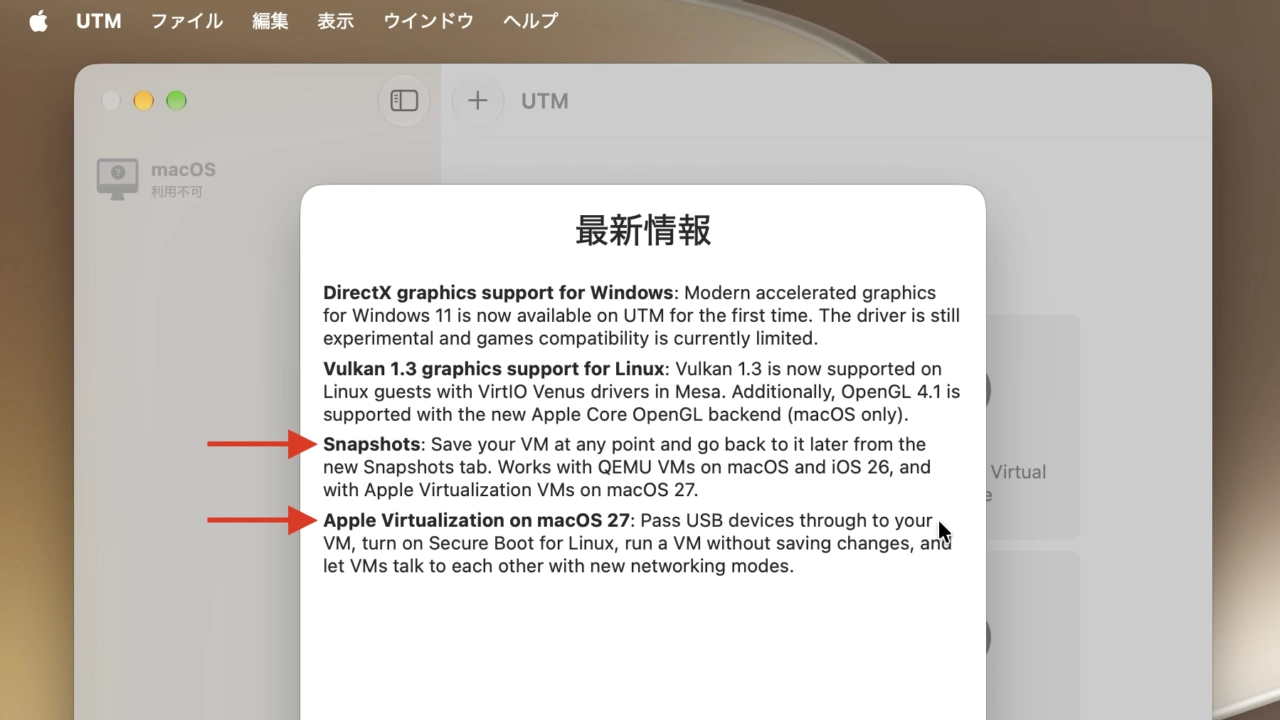
Apple Virtualization on macOS 27: Pass USB devices through to your VM, turn on Secure Boot for Linux, run a VM without saving changes, and let VMs talk to each other with new networking modes.
リリースノートより
UTM v5.0.6では、特定の状態で仮想マシンを保存し、その後保存した状態に戻ることができるスナップショット機能はQEMUではmacOS 26 TahoeやiOS 26以降で、AVFではmacOS 27 Golden Gate以降で利用することが可能になっています。
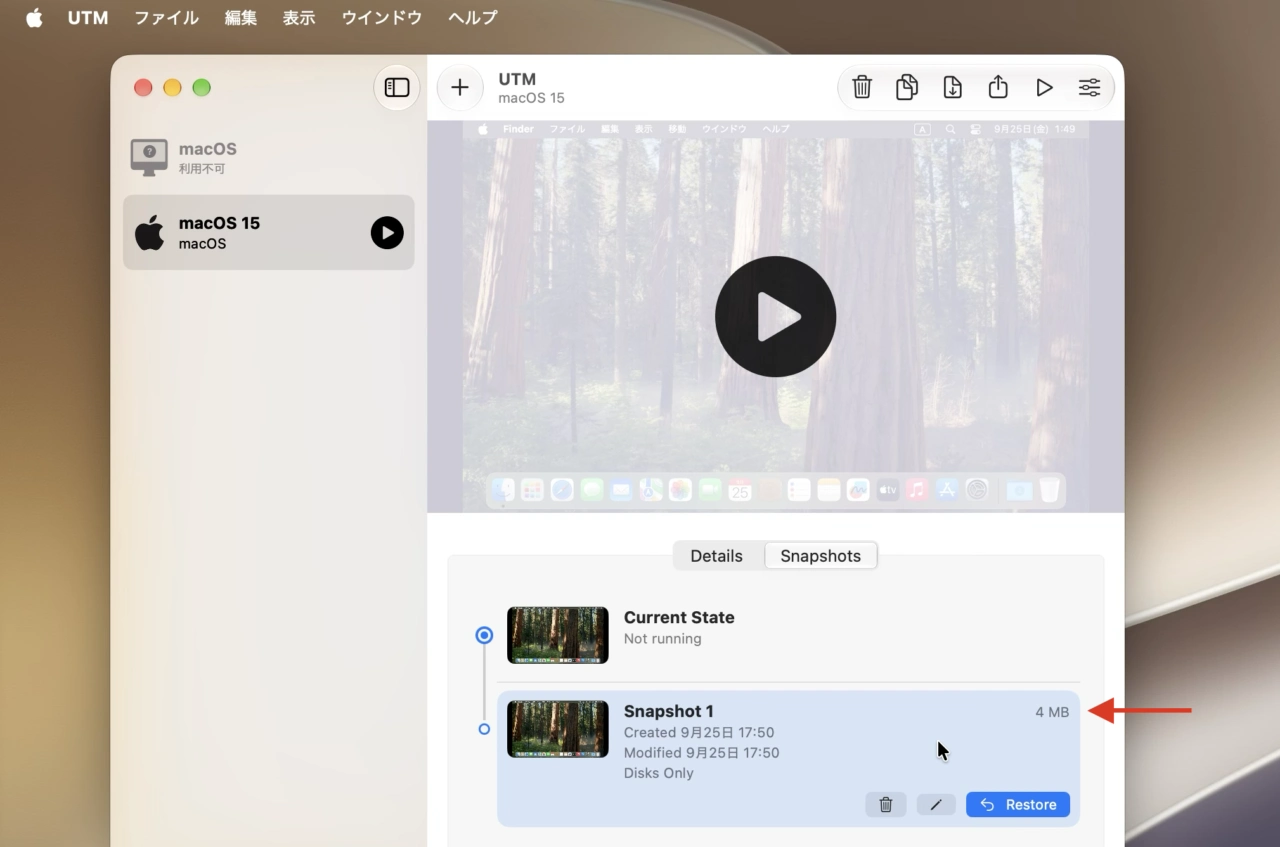
UTM v5.0.6のスナップショット機能
また、macOS 27 Golden GateのAVFで追加されたUSBパススルー接続、Linux VMでのSecure Boot、VM間の共有ネットワークとホストオンリー接続、
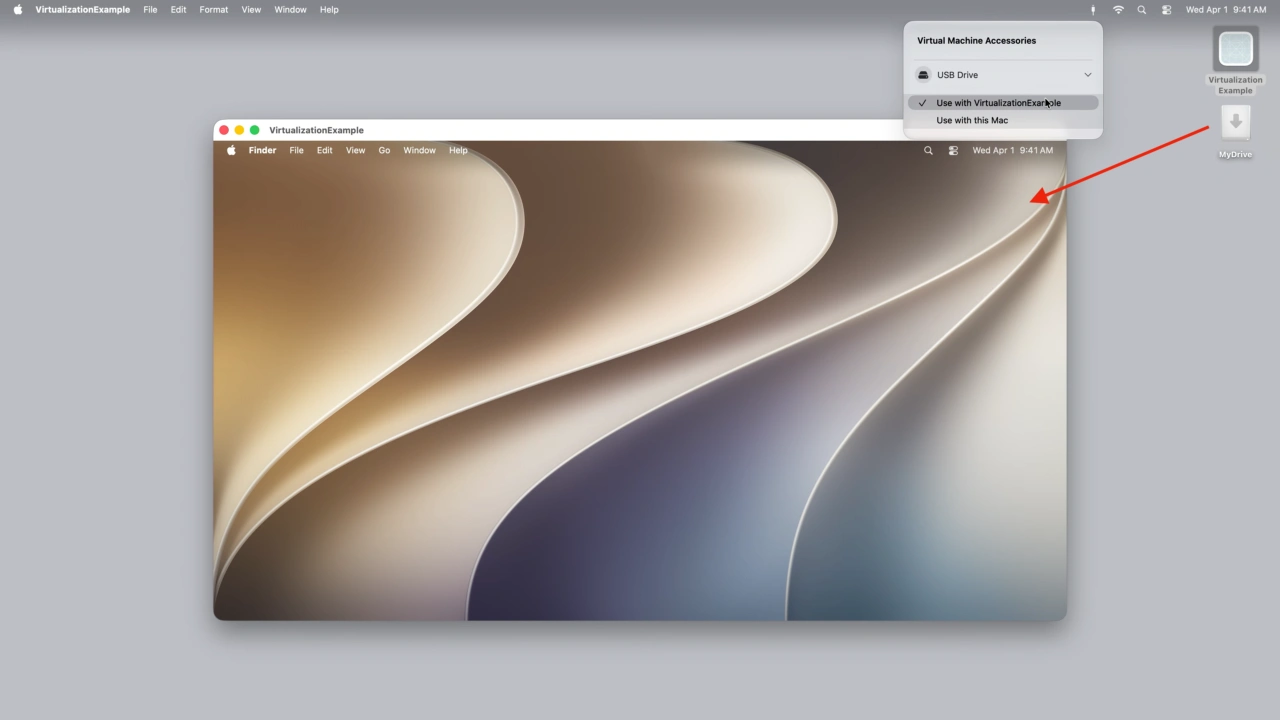
macOS 27 Golden GateのAVFでサポートされたUSBパススルー
そして、仮想マシンで様々な実験や検証を行った後に変更を保持せず破棄してもとに戻ることができる「変更内容を保存せずに実行 (Disposable mode/使い捨てモード)」も追加されているので、OSアップデート後の不具合やマルウェア検証などに仮想マシンを利用している方は試してみて下さい。
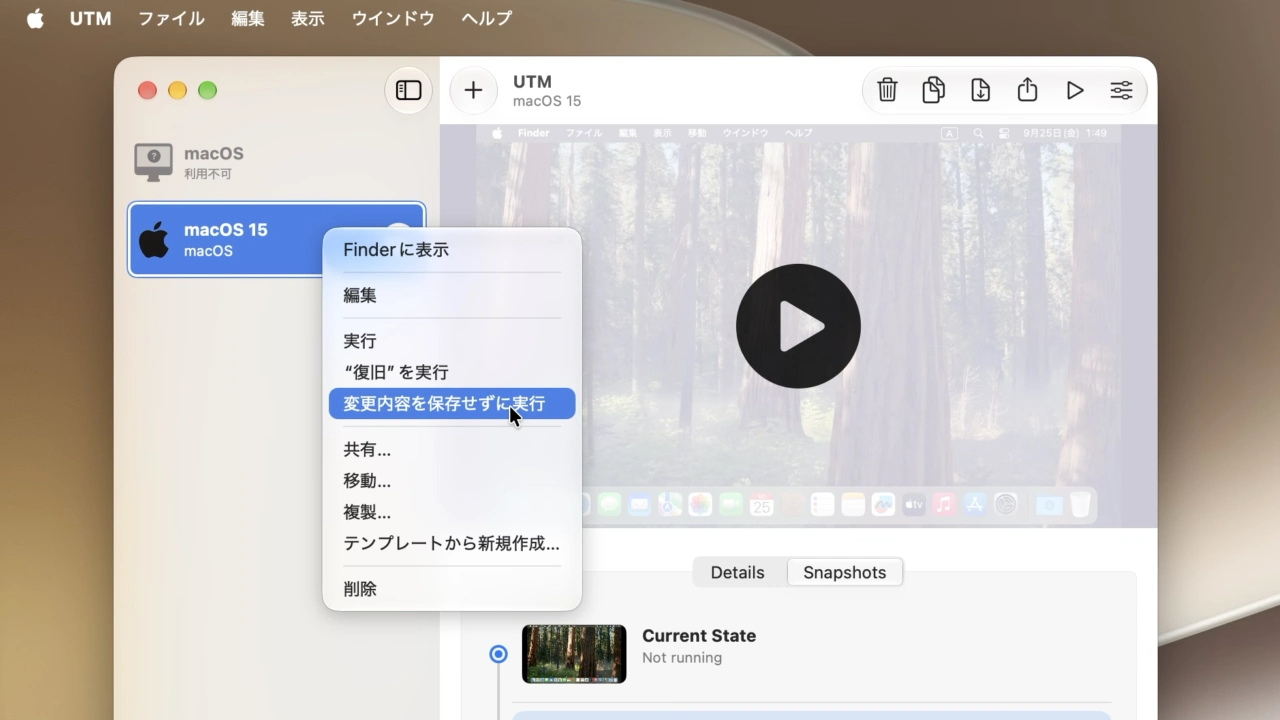
UTM v5.0.6の変更内容を保存せずに実行
UTM v5.0.6 Betaより抜粋
- (macOS) DirectX graphics support for Windows: Modern accelerated graphics for Windows 11 is now available on UTM for the first time. The driver is still experimental and games compatibility is currently limited.
- Vulkan 1.3 graphics support for Linux: Vulkan 1.3 is now supported on Linux guests with VirtIO Venus drivers in Mesa. Additionally, OpenGL 4.1 is supported with the new Apple Core OpenGL backend (macOS only).
- Snapshots: Save your VM at any point and go back to it later from the new Snapshots tab. Works with QEMU VMs on macOS and iOS 26, and with Apple Virtualization VMs on macOS 27.
- (macOS) Apple Virtualization on macOS 27: Pass USB devices through to your VM, turn on Secure Boot for Linux, run a VM without saving changes, and let VMs talk to each other with new networking modes.
- (iOS) Better touch controls: Gestures respond immediately, with new middle-click and right-drag actions and a new drag-to-scroll touch mode.
コメント