
OpenAIのWebブラウザ「ChatGPT Atlas」がよく使うプロンプトの保存やタブの名称変更に対応し、エージェントモードの自動切り替え機能を改善しています。詳細は以下から。

米OpenAIは現地時間2026年02月18日、同社の対話型AI「ChatGPT」を組み込んだWebブラウザ「ChatGPT Atlas for macOS」のBuild 1.2026.42.5のロールアウトを開始し、新たにタブの整理機能を追加したと発表しています。
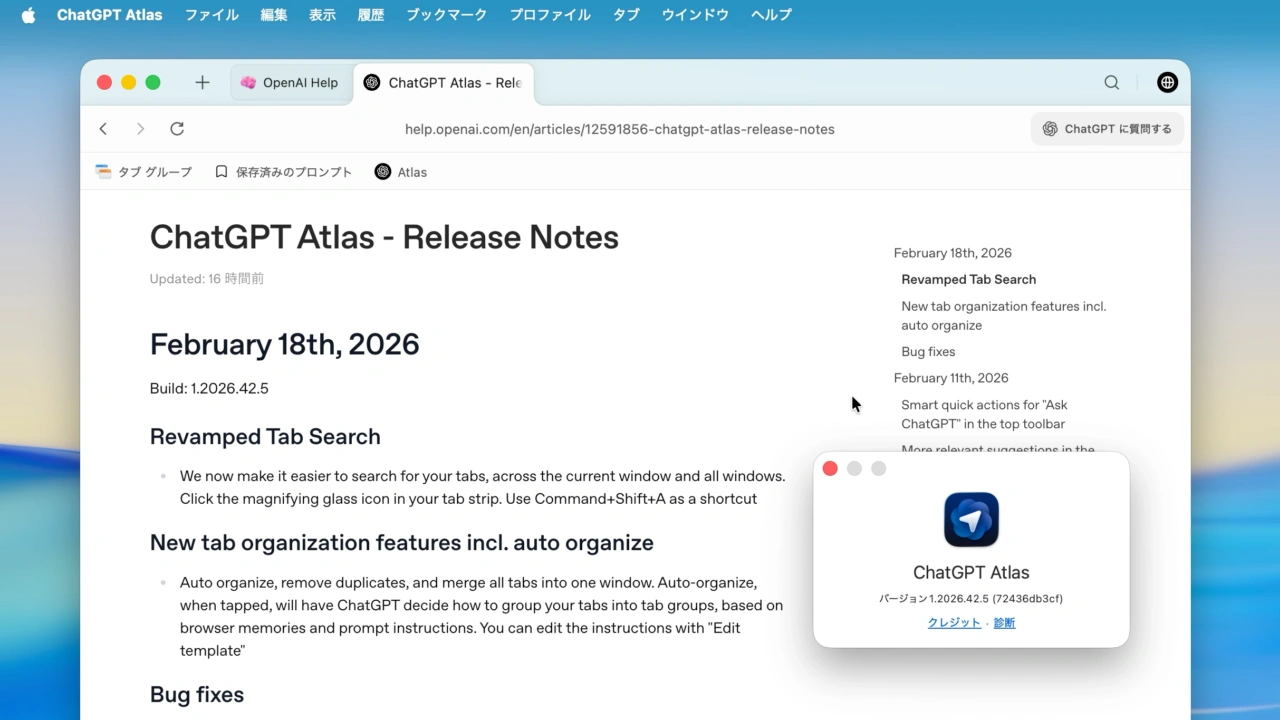
Auto organize, remove duplicates, and merge all tabs into one window. Auto-organize, when tapped, will have ChatGPT decide how to group your tabs into tab groups, based on browser memories and prompt instructions.
ChatGPT Atlas – Release Notes
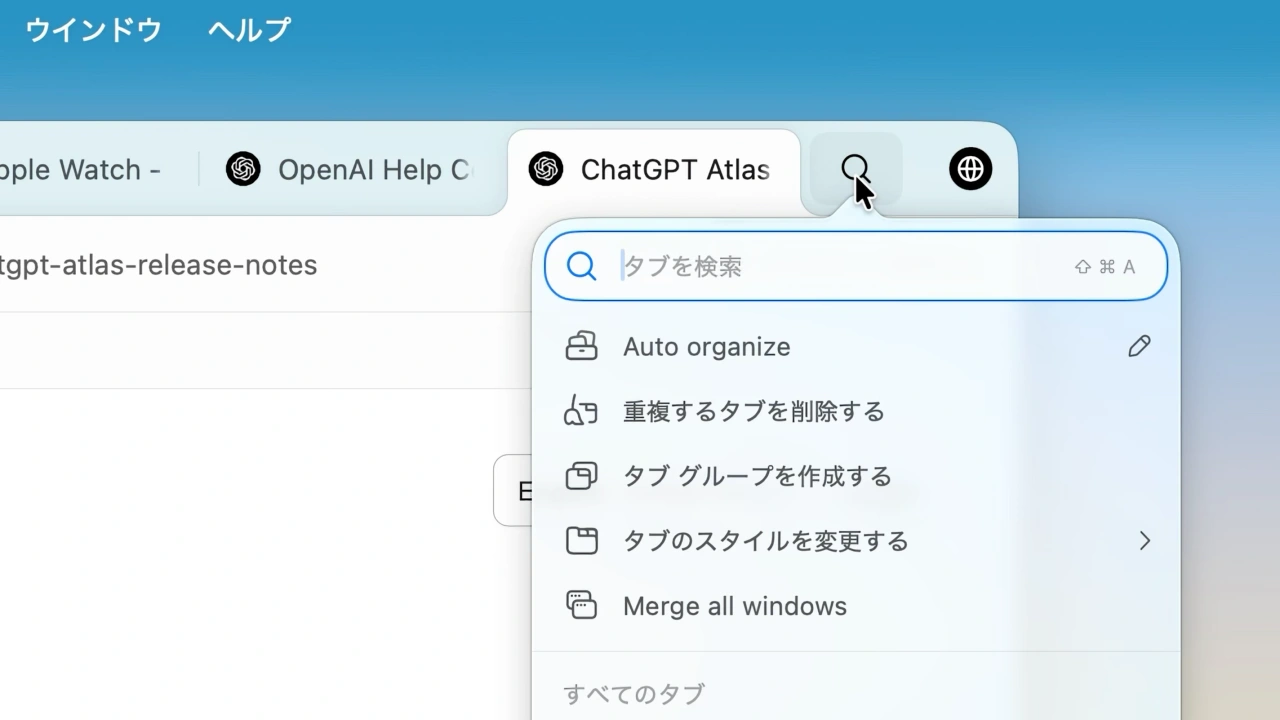
今回のアップデートではタブ検索機能が刷新され、現在のウィンドウ内を含むタブで表示された全ウィンドウの横断検索がタブバーの虫眼鏡(🔍️)アイコンやCommand + Shift + Aキーで可能になっています。
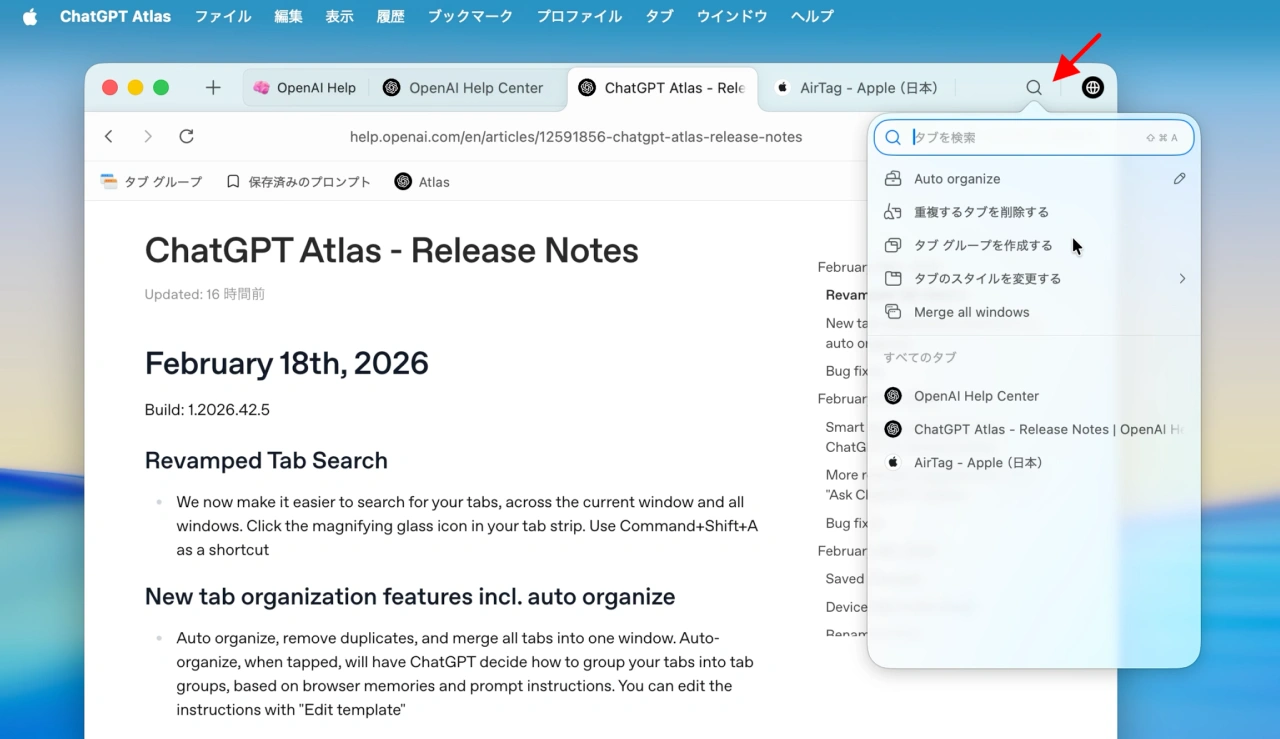
また、新たにタブの自動整理機能が追加され、タブ検索と同じく虫眼鏡(🔍️)アイコンを表示し[Auto Arganize]の編集(✏️)アイコンをクリックすると、プロンプトが表示されるので、そこにサイト名やドメインなど、調べているトピックなどまとめる方法を記載しておけば、後は[Auto Arganize]をワンクリックするだけでタブを自動整理してくれます。
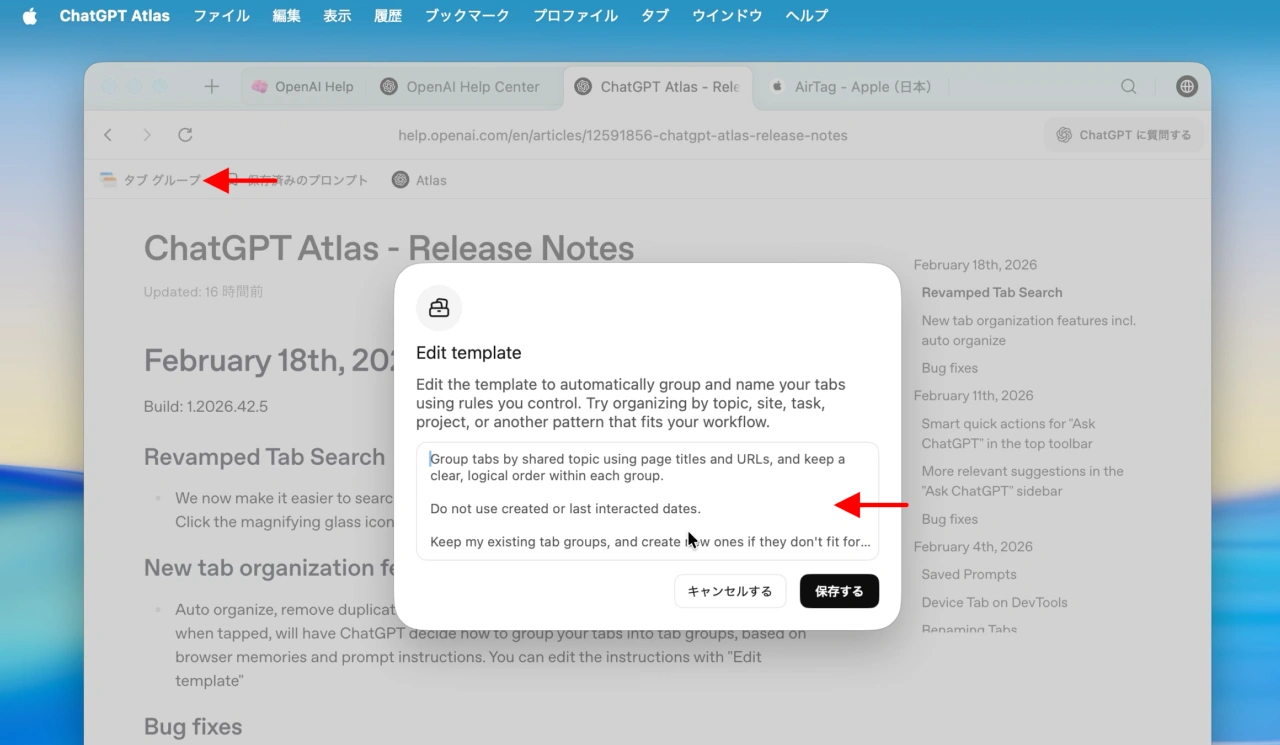
新しいタブの整理機能は重複タブの削除や新しいウィンドウのグループ統合なども可能で、同Buildではテキストボックスのフォーカス、フルスクリーンモード、タブバー、バックグラウンドでのCPU使用率、右クリックメニューの挙動に加え、日本語や中国語などの言語入力機能が向上しているそうなので、ユーザーの方はアップデートしてみてください。
With ChatGPT Atlas, we aim to push the boundary of what a browser can be — integrating ChatGPT and evolving it into an agent that takes action for you.
But even as we build that future, the basics still matter. For most people we talk to, their tab strip is overflowing with too… pic.twitter.com/EiKSrEu0NP
— Adam Fry (@adamhfry) February 18, 2026
その他、今回のアプデートでは画面にオートフィルが表示されたままになる問題、ブックマークとタブバーで発生していたUIのちらつき、サイドタブの位置ズレ、ChatGTPに質問するサイドバーの提案内容が不正確になる原因となっていたバグなどを修正したそうなので、
February 18th, 2026
Build: 1.2026.42.5
- Revamped Tab Search
- We now make it easier to search for your tabs, across the current window and all windows. Click the magnifying glass icon in your tab strip. Use Command+Shift+A as a shortcut
- New tab organization features incl. auto organize
- Auto organize, remove duplicates, and merge all tabs into one window. Auto-organize, when tapped, will have ChatGPT decide how to group your tabs into tab groups, based on browser memories and prompt instructions. You can edit the instructions with “Edit template”
- Bug fixes
- Fixed several focus issues (e.g. focus wouldn’t automatically transfer to the expected element, clicking on a textbox wouldn’t always transfer focus)
- Made fullscreen mode more reliable so the bookmark bar behaves correctly and transitions feel smoother.
- Fixed issues with the tab bar that could affect popup windows and profile menu visibility.
- Improved IME text input for a smoother typing experience for languages like Japanese and Mandarin
- Reduced background CPU usage and improved performance during long browsing sessions.
- Fixed bookmark bar display issues and improved compatibility with older imported Chrome data.
- Improved right-click menu behavior and fixed image loading issues in certain views.
- Resolved a tooltip timing issue in tab search for a more polished experience.
- ChatGPT Atlas – OpenAI
- ChatGPT Atlas – Release Notes – OpenAI

コメント