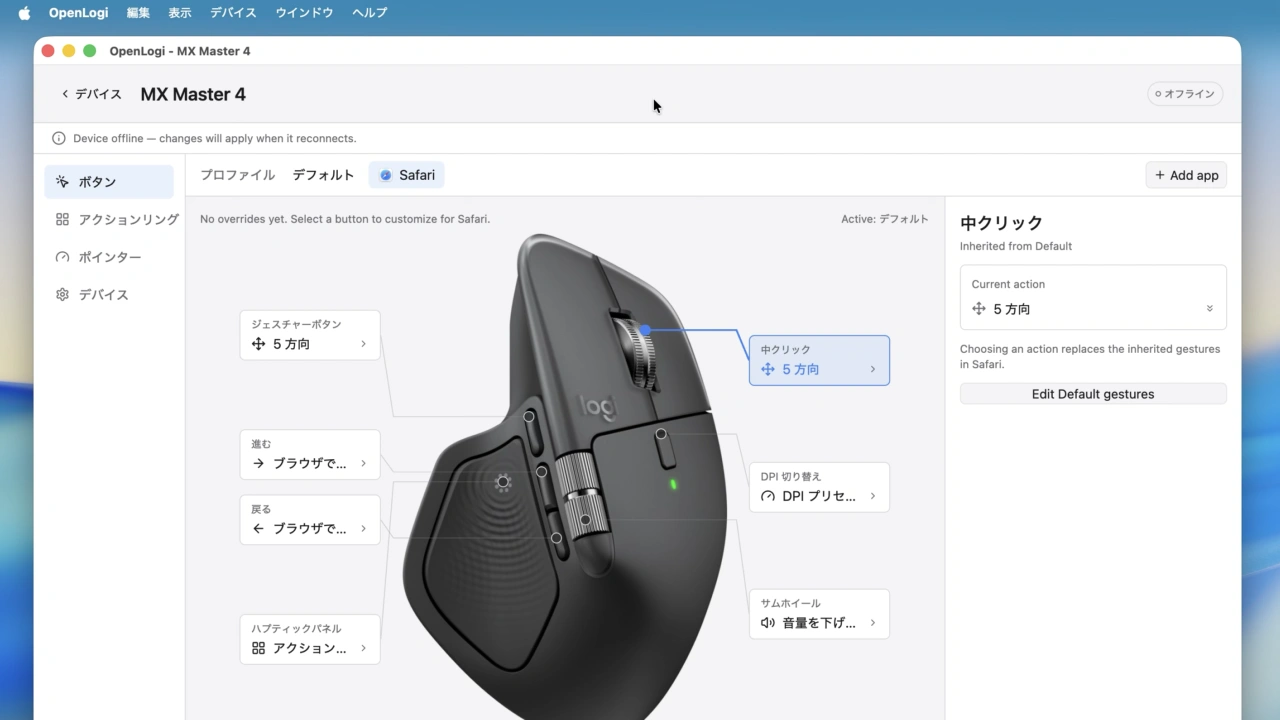

デバイス管理画面を刷新し、公式アプリのようにGUIでアプリ別の操作設定を可能にしたオープンソースのLogitech製マウスユーティリティ「OpenLogi v0.8」がリリースされています。詳細は以下から。

OpenLogiはXuan Zhang(AprilNEA)さんがオープンソースで開発している非公式のLogitech製マウス用ユーティリティで、公式のLogi Options+がElectronアプリ化されたことから、より軽量&高速化を目指してRust(GPUI)で開発されていますが、このOpenLogiがバージョン0.8.0へアップデートされています。
⚡️ A native, local-first alternative to Logitech Options+, written in Rust 🦀Unlock the full capabilities of Logitech mice, keyboards, and webcams over HID++ and UVC
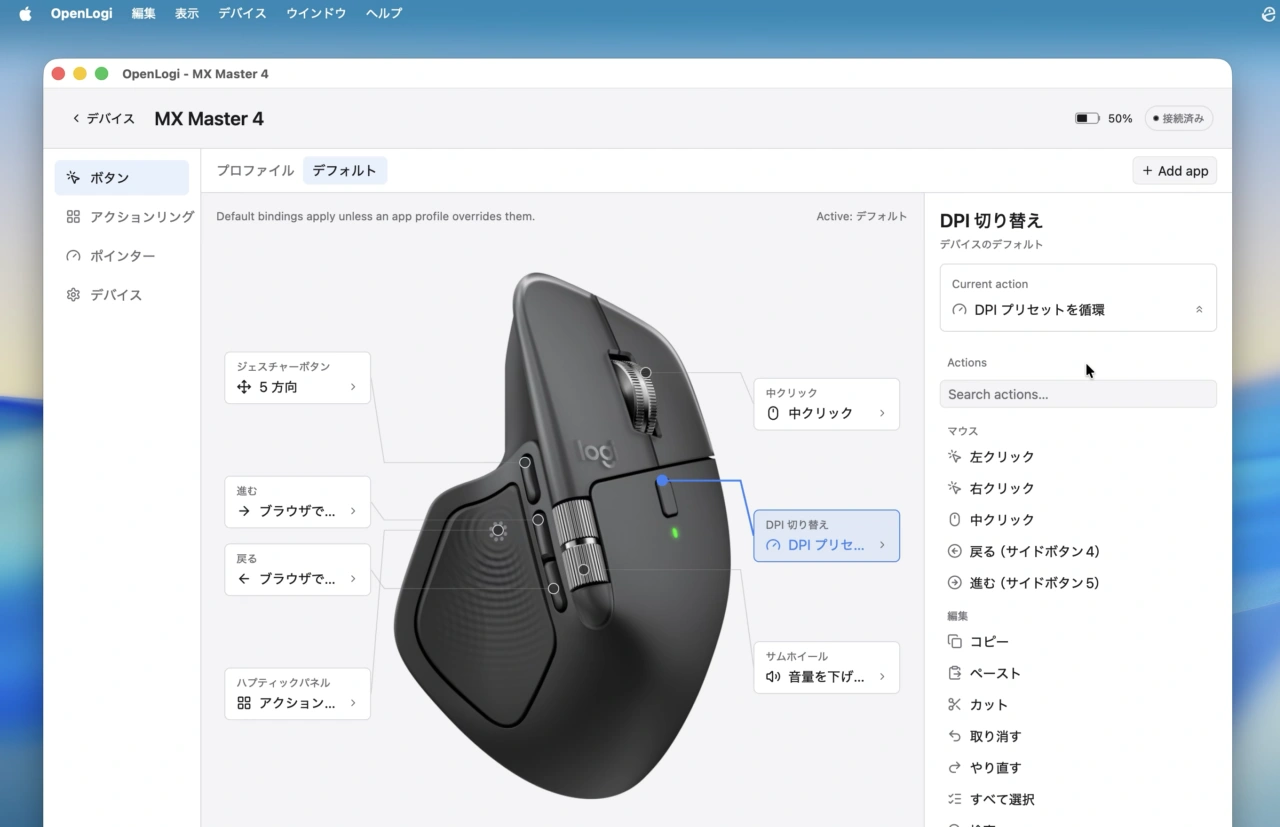
AprilNEA/OpenLogi: ⚡️A native, local-first alternative to Logitech Options+, written in Rust 🦀 – GUI
OpenLogi v0.8.xでは、USB有線やワイヤレスレシーバーなど複数の接続方式があるマウスで、接続方式が切り替えられても同一マウスとして認識するようになり、設定が維持されるようになったほか、デバイス管理画面がレスポンシブグリッド化され、コンパクト表示や分かりやすいバッテリー表示、デバイス名の変更、UIサイズのプリセットなどが可能になっています。
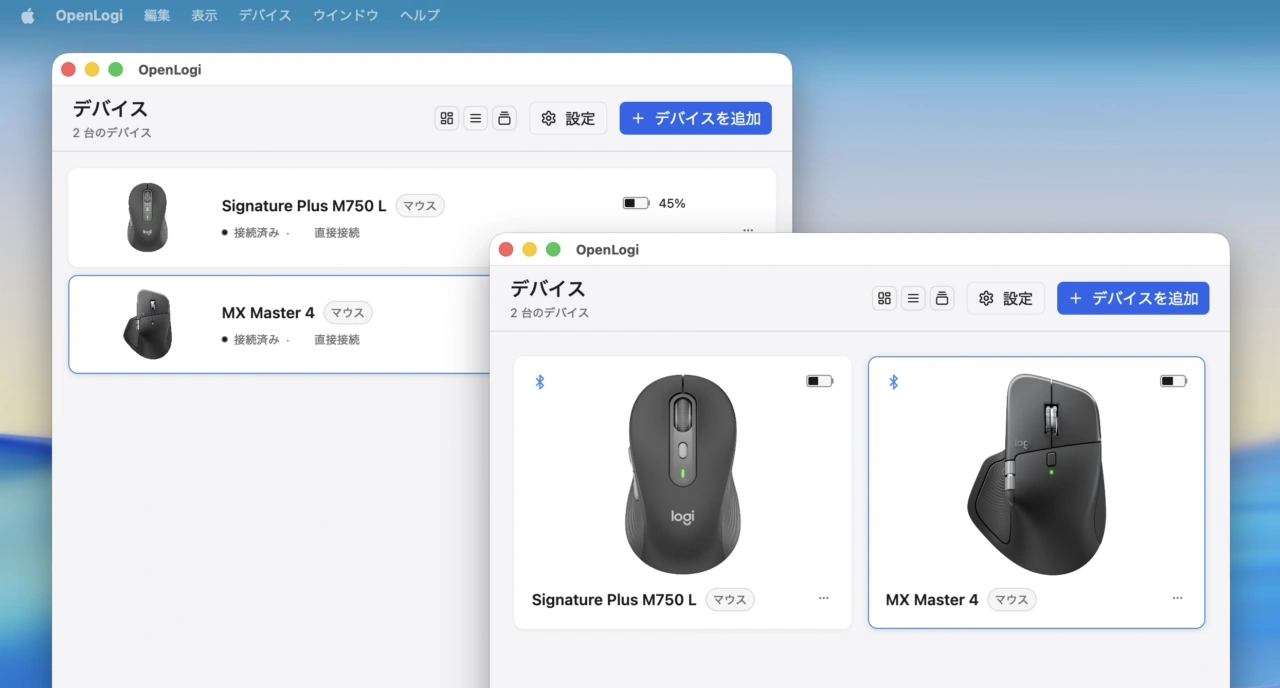
レスポンシブグリッド
また、FinderやSafari、Keynoteなど特定アプリを選択している場合限定で、そのアプリに対してだけ特定のマウス操作を実行できるアプリ別プロファイル機能も公式のLogo Options+と同じくGUIが実装され、アプリ別の設定が簡単にできるようになっています。
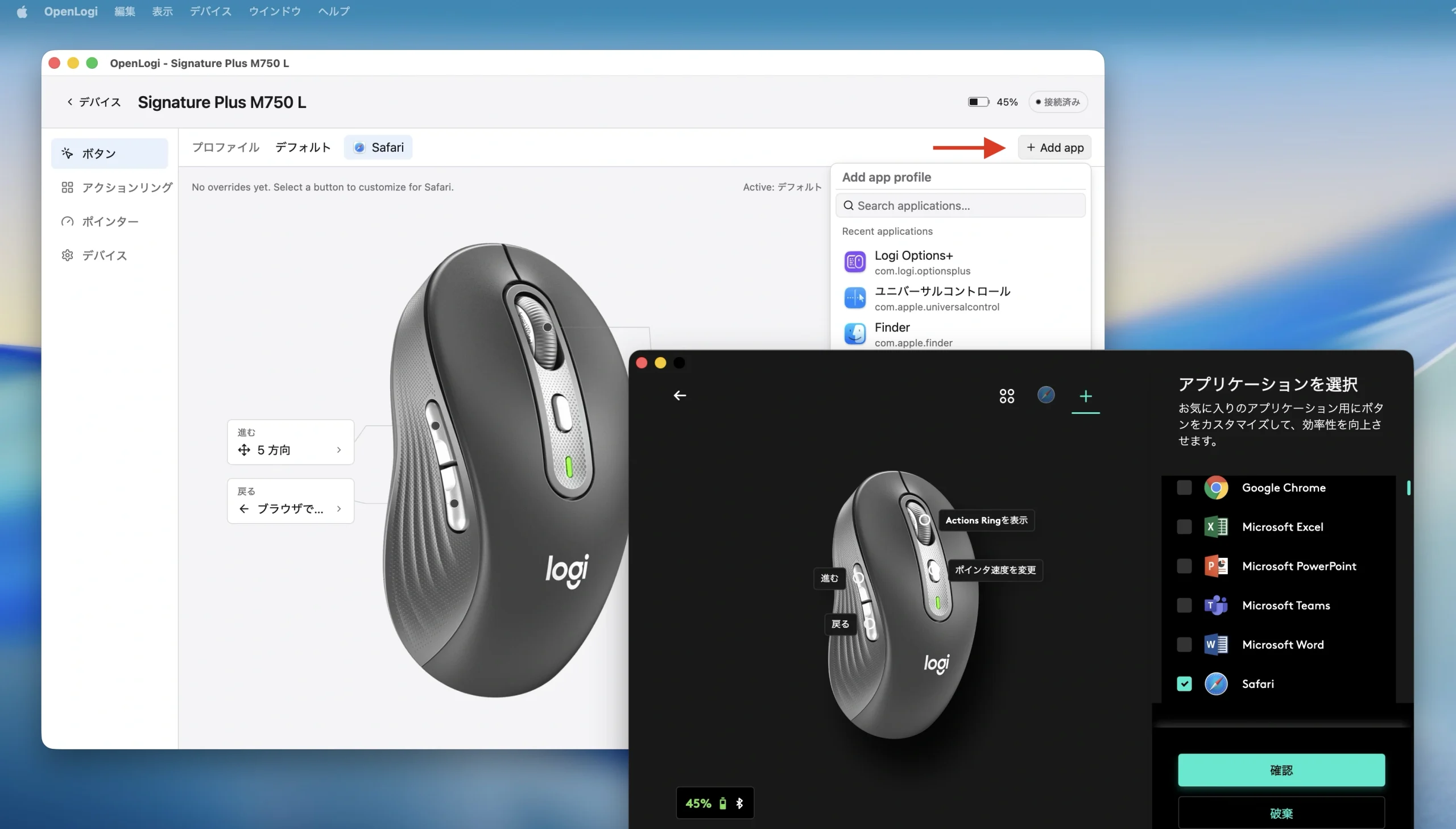
OpenLogiとLogi Options+
この他、OpenLogi v0.8.xではトラックパッドの設定はそのままで、Logitech製マウスのスクロールをスムーズにする[Smooth Scrolling]、と縦方向のスクロール感度を調整できる[Vertical Scroll Sensitivity]機能が追加されているので、公式のLogiOptions+アプリが使いづらい方は試してみて下さい。
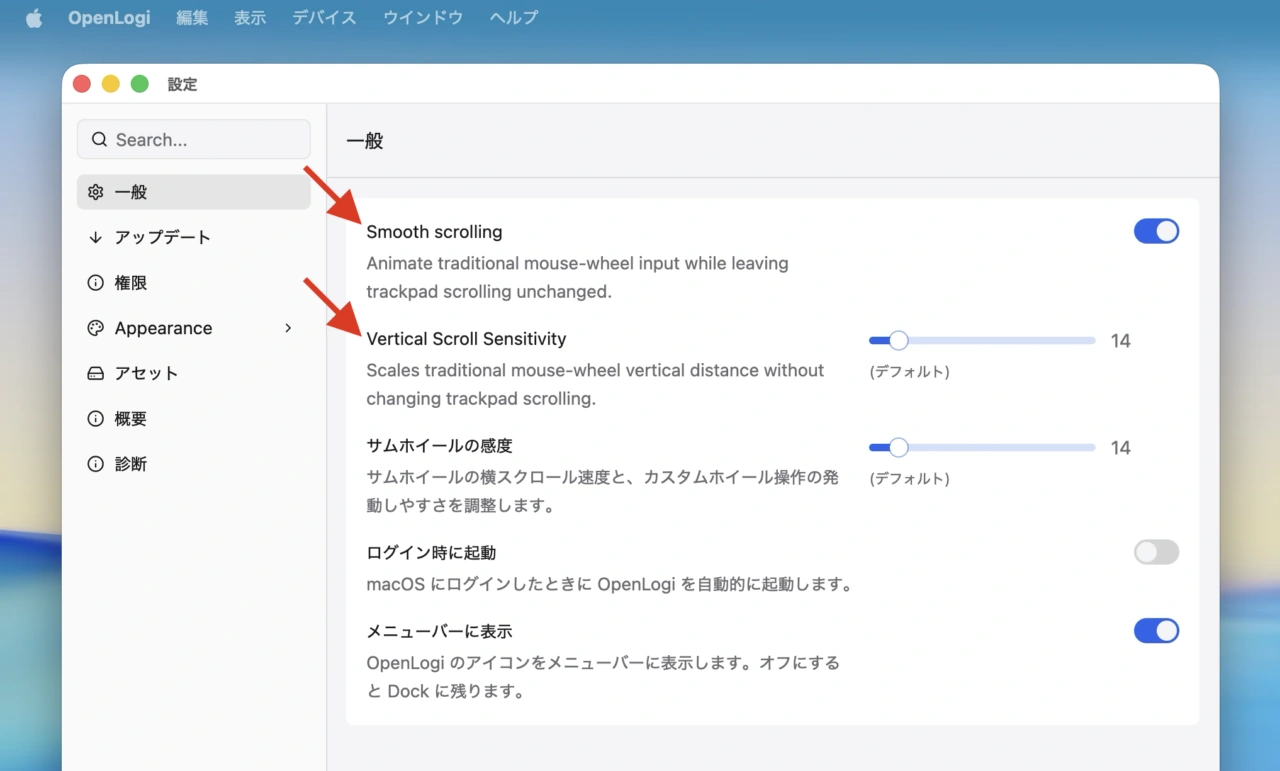
Scrolling is smoother and more configurable.
OpenLogi v0.8.0
- One device, however you connect it. The same mouse now keeps one device card and one set of settings across receiver and USB connections. Existing configurations migrate automatically and are backed up before the first save. (#876)
- A redesigned device workspace makes larger setups easier to manage. A responsive grid, compact cards, clearer battery status, custom device names, scalable interface presets, and a dedicated action menu make devices faster to scan and configure.
- Per-app profiles are now editable in the GUI. Pick an installed application from the new catalog, see which profile is active, and customize its button bindings without editing TOML. (#976)
- Scrolling is smoother and more configurable. Built-in smooth scrolling, vertical sensitivity controls, preserved fractional motion, rebindable wheel tilt, and fixes for diverted high-resolution wheels deliver more consistent scrolling across main and thumb wheels. (#902, #925, #992)
- Buttons can now distinguish a tap from a hold. TOML bindings can assign independent shortand long-press actions with a 500 ms threshold, while held shortcuts remain active until the button is released. (#961)
コメント