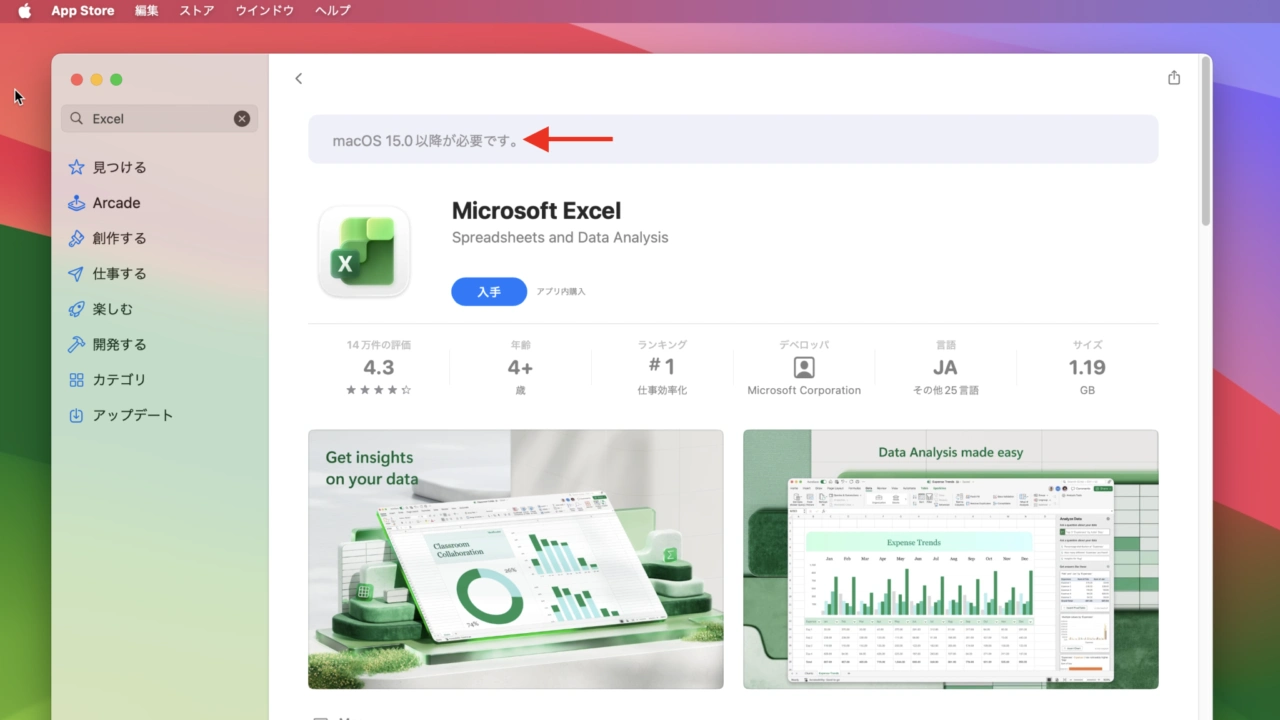

Microsoftが「Microsoft 365/Office for Mac v16.115」でシステム要件をAppleがセキュリティアップデートを提供しているmacOS 15 Sequoia以降に変更しています。詳細は以下から。

Microsoftは2026年10月10日、同社のオフィススイート「Microsoft 365」と「Office for Mac」のサポートページを更新し、最新のMicrosoft 365およびOffice 2024 for Macで、Appleが09月にリリースしたmacOS 27 Golden Gateのサポートを開始したと発表しましたが、11月10日付けでリリースしたv16.115では、macOS 14 Sonomaがシステム要件から外されています。
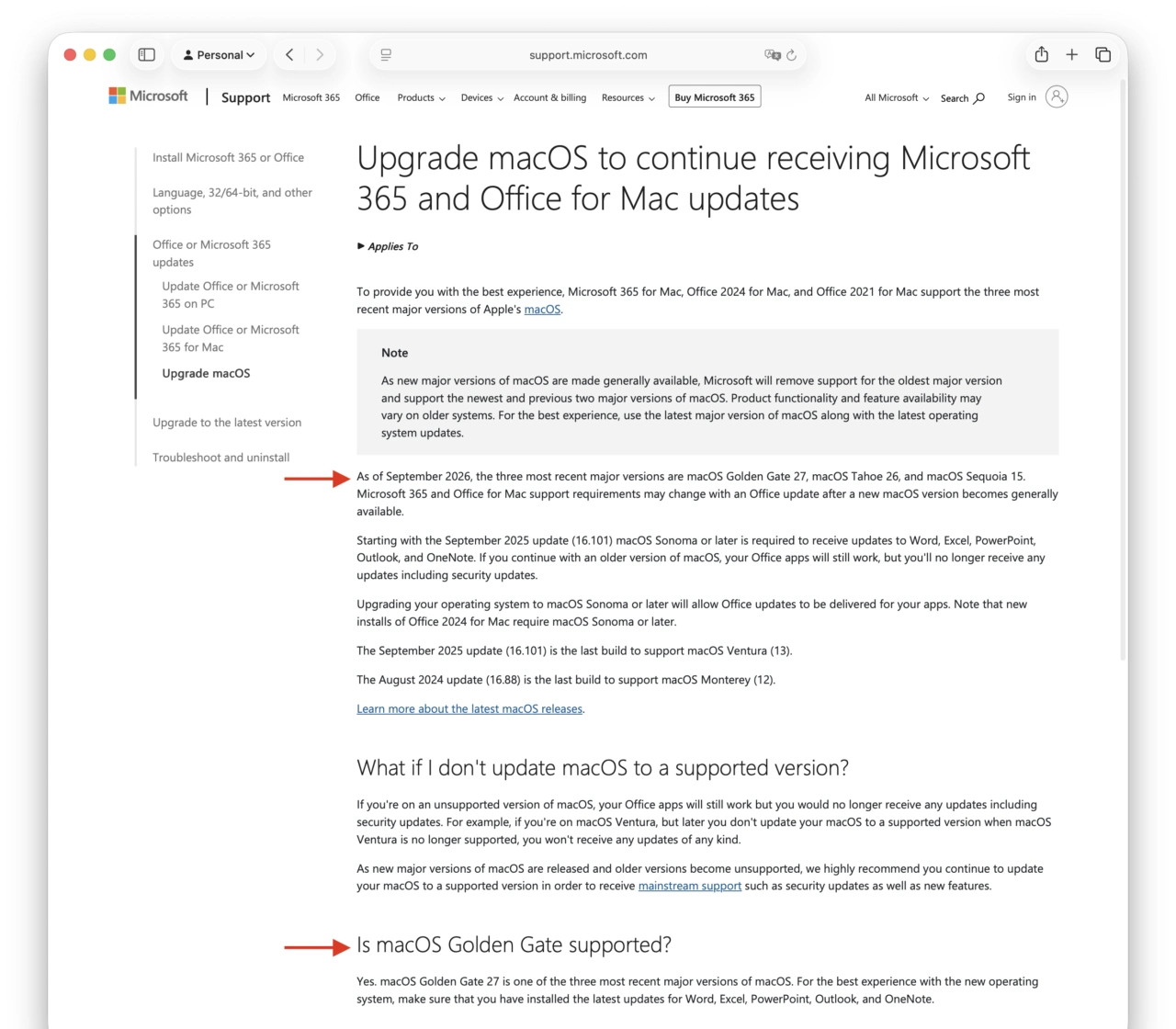
Is macOS Golden Gate supported?
Yes. macOS Golden Gate 27 is one of the three most recent major versions of macOS. For the best experience with the new operating system, make sure that you have installed the latest updates for Word, Excel, PowerPoint, Outlook, and OneNote.Upgrade macOS to continue receiving Microsoft 365 and Office for Mac updates – Microsoft Support
Microsoftは2019年にAppleが発表したmacOS 10.15 Catalinaのリリースに合わせて、「Office for MacのサポートはAppleがセキュリティアップデートを提供しているのと同じ2世代前のmacOSに限定する」という方針を打ち出しており、今回もその方針通りmacOS 14 Sonomaが非サポートとなったようで、
これにより、Macで最新のMicrosoft 365/Office for Macを利用するにはmacOS 15 Sequoia以降を搭載したMacが必要となっているので、ユーザーの方は注意して下さい。
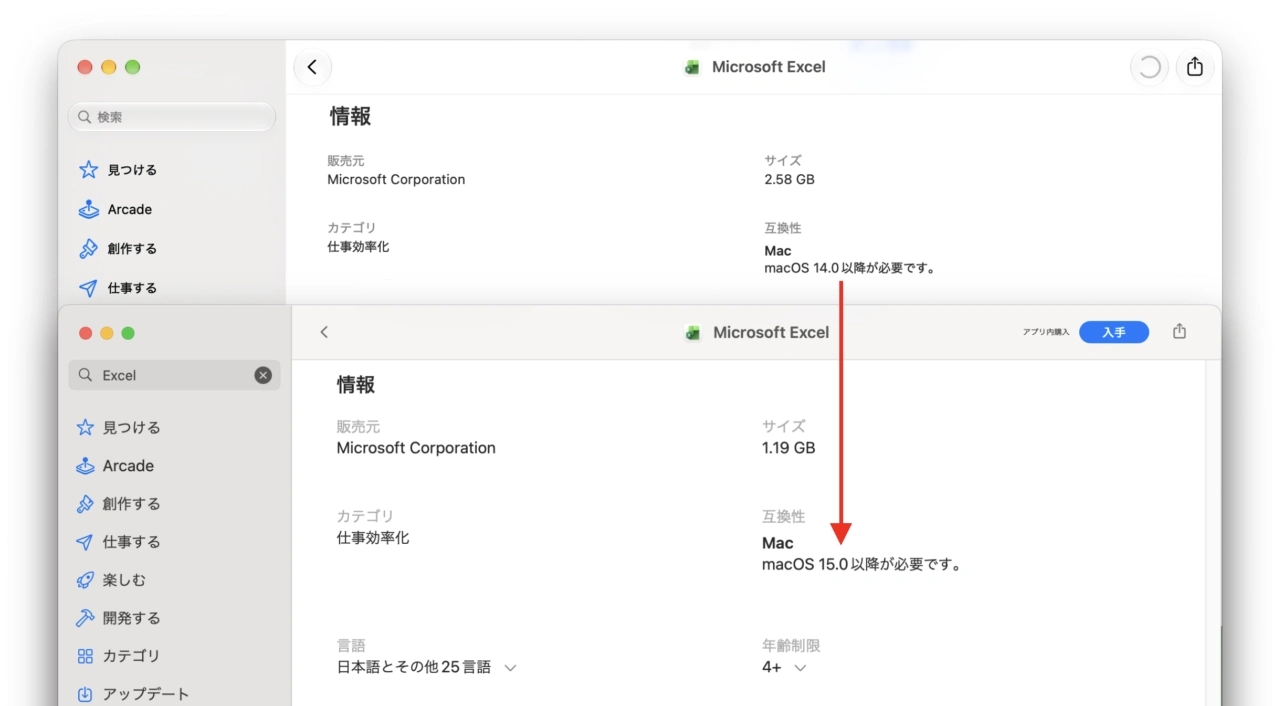
Excel for Mac v16.114とv16.115のシステム要件
おまけ
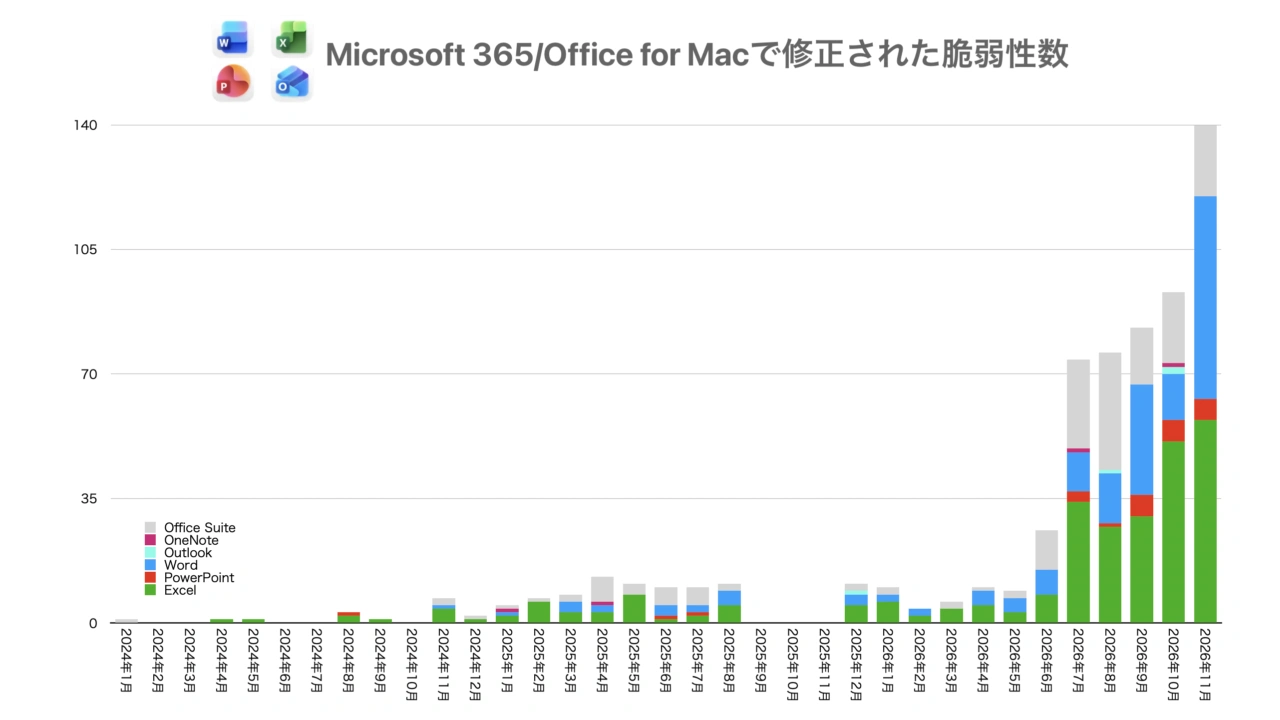
なお、Microsoft 365/Office for Mac v16.115アップデートでは、CVEベースで過去最高の合計140件の脆弱性が修正されているので、今後も古いmacOSやOfficeを使い続けるのは、かなりセキュリティリスクが高まると思われます。
- Upgrade macOS to continue receiving Microsoft 365 and Office for Mac updates – Microsoft Support
コメント