
macOS 26.1 Tahoeでは、プレビューアプリがPDFファイルの角を丸くしてしまう問題が修正されています。詳細は以下から。
Appleが2025年09月にリリースしたmacOS 26 Tahoeのプレビューアプリは、Liquid Glassデザインが採用されただけでなく、PDFファイルの角が勝手に丸められてしまう仕様が追加され、正しいデザインの表示を求めるデザイナーや出版関係者、論文を読む研究/技術者からクレームが出ていましたが、Appleは現地時間2025年11月03日にリリースした「macOS 26.1 Tahoe」で、この仕様を修正しています。
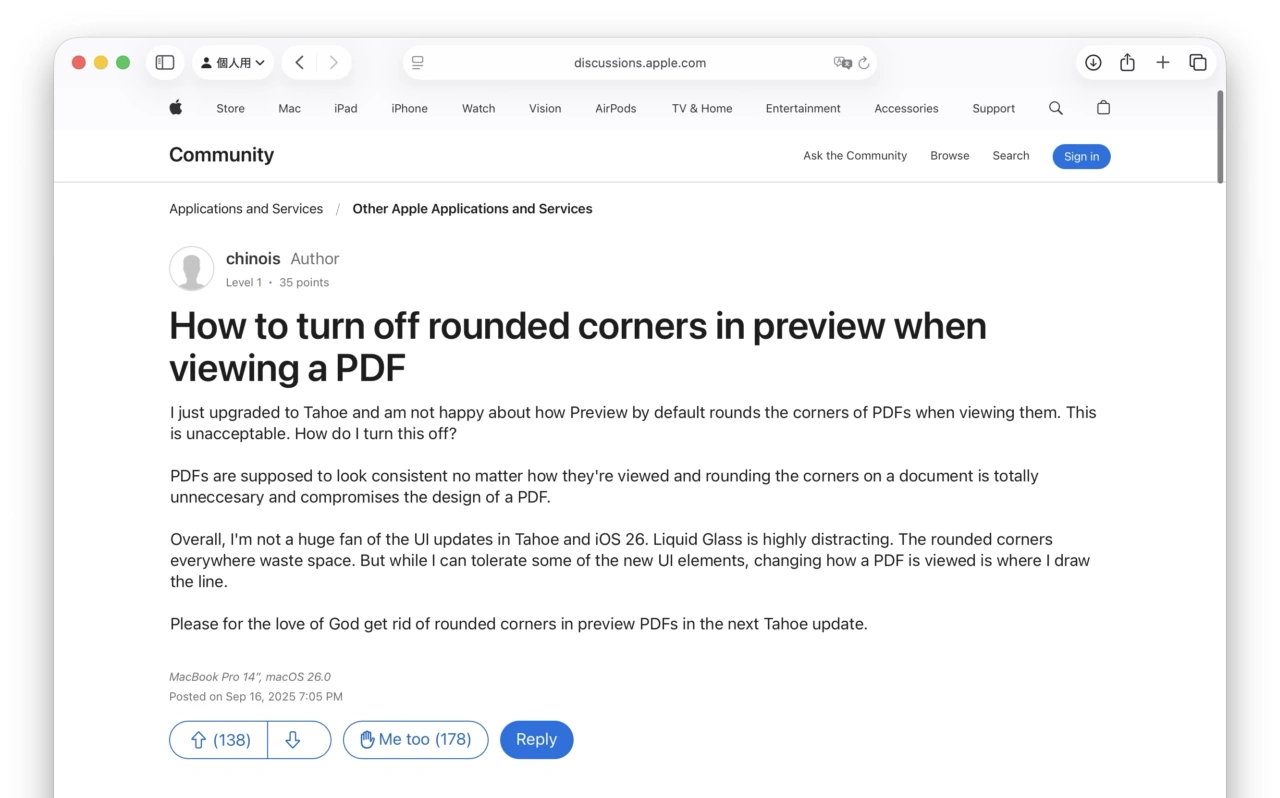
I just upgraded to Tahoe and am not happy about how Preview by default rounds the corners of PDFs when viewing them. This is unacceptable. How do I turn this off? PDFs are supposed to look consistent no matter how they’re viewed and rounding the corners on a document is totally unneccesary and compromises the design of a PDF.
How to turn off rounded corners in preview when viewing a PDF – Apple Community
macOS 26.0 Tahoeのプレビューアプリでは、下図右側のようにPDFファイルを開くと勝手に角が丸められて表示されていましたが、macOS 26.1アップデート後は、macOS 15 Sequoiaまでのプレビューアプリと同じく、PDFファイルを開いても角が丸く表示されないようになっています。
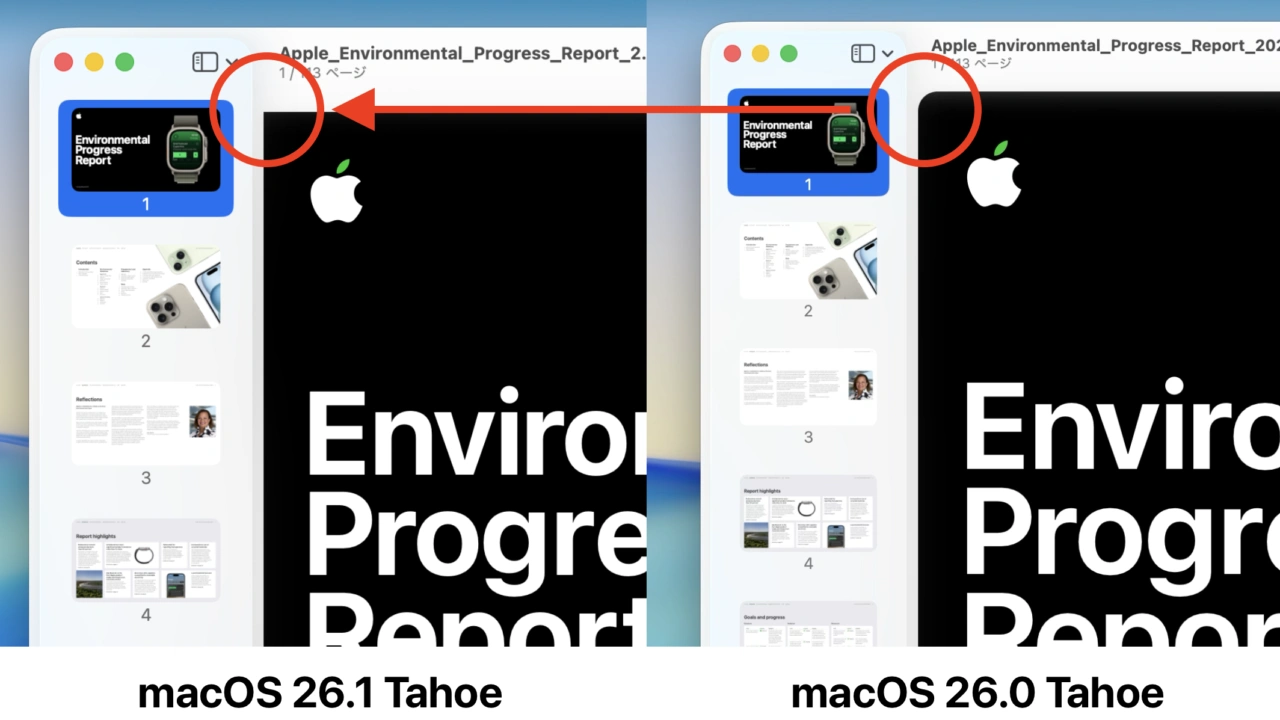
macOS 26.1 TahoeとmacOS 26.0 TahoeのPDFプレビュー
これにより、本のページ数やクロスワードパズルなどディスプレイエリアの端まで情報があるPDFファイルでも正しい情報が表示できるようになったので、macOS 26.1 Tahoeにアップデートされた方はチェックしてみてください。
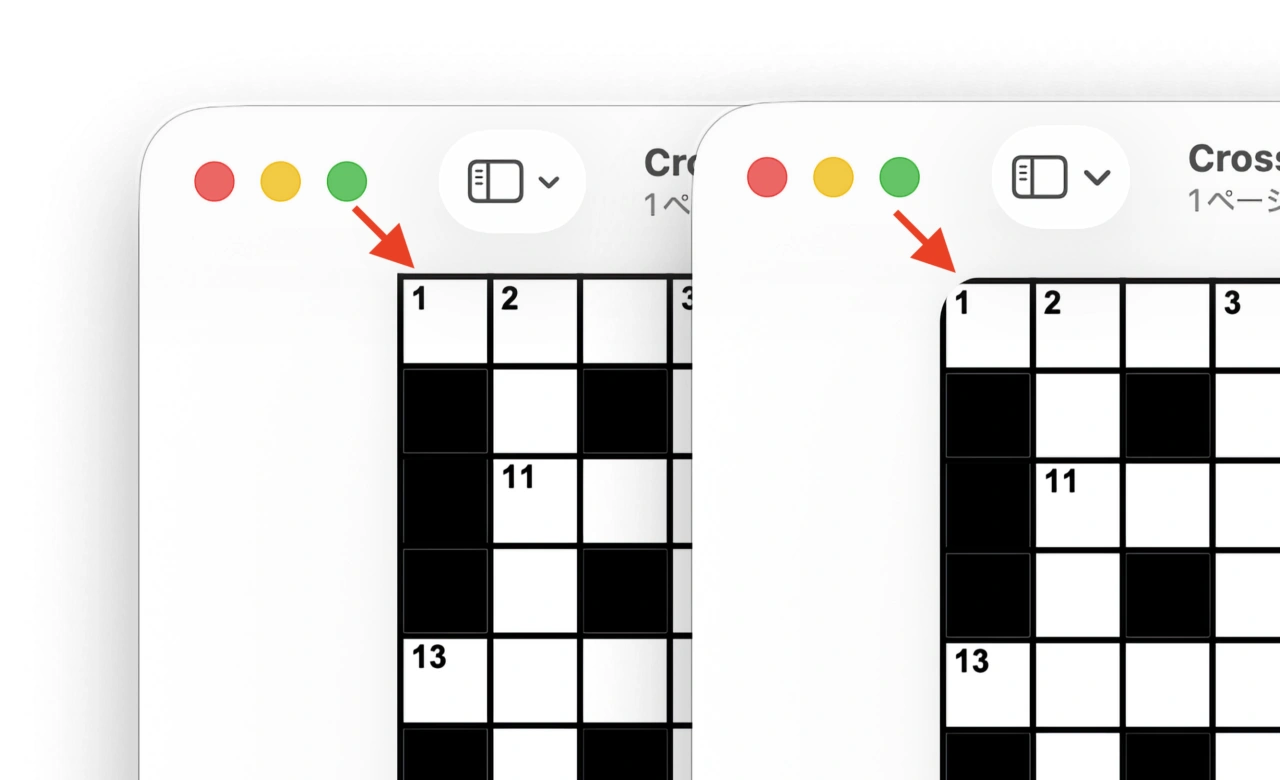
macOS 26.1 TahoeとmacOS 26.0 TahoeのPDFプレビュー
- How to turn off rounded corners in preview when viewing a PDF – Apple Community

コメント