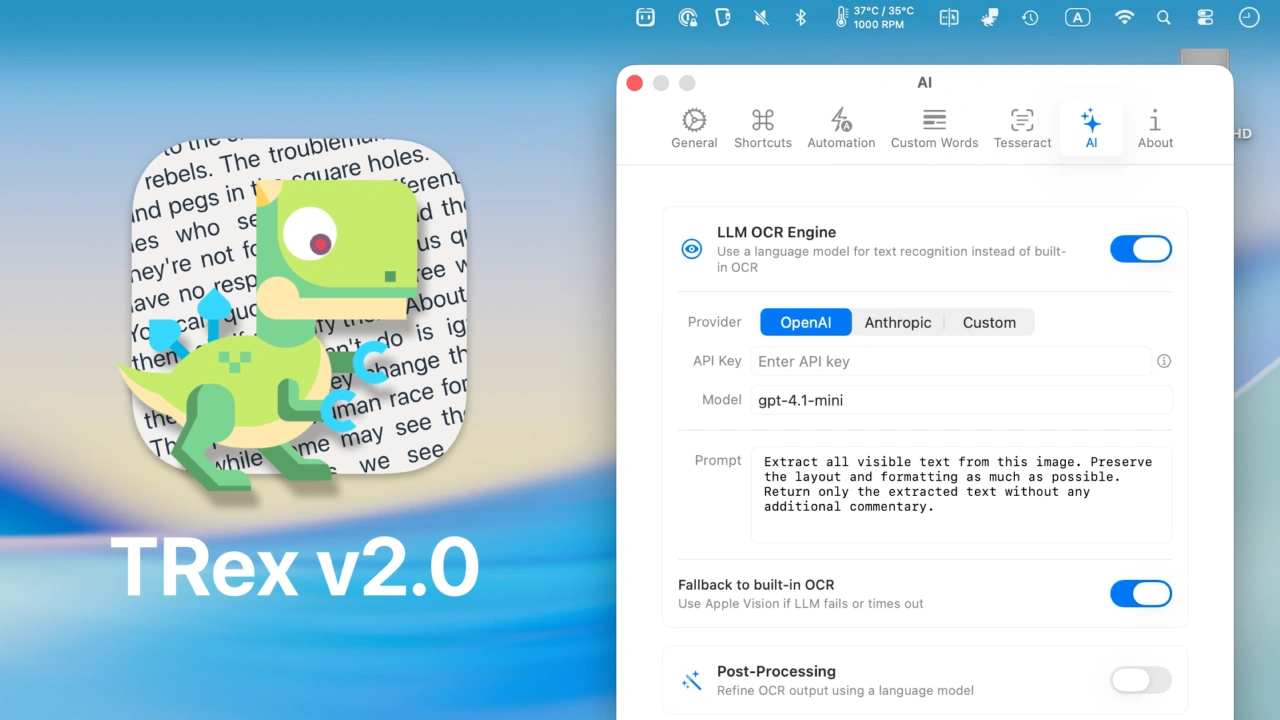

macOS 26 TahoeのVisionフレームワークによる表の抽出やOpenAI、Anthropic、OllamaなどのLLMによるOCRに対応したオープンソースのMac用OCRアプリ「TRex v2.0」がリリースされています。詳細は以下から。
TRexは米バージニア州Ameba LabsのAlex Mazanovさんが2021年からオープンソースで開発しているMac用OCRアプリで、AppleのVisionフレームワークを利用し、オンデバイスでキャプチャした画像内にある文字を認識、プレーンテキスト化してペーストできるようにしてくれますが、このアプリの最新バージョンとなる「TRex v2.0」がリリースされています。
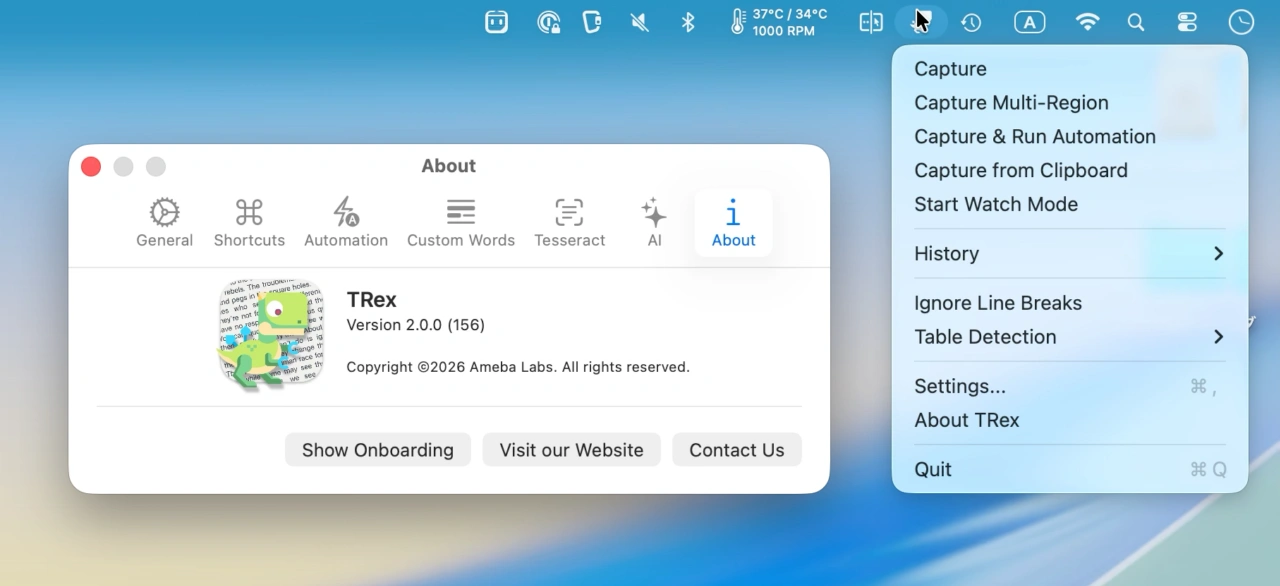
TRex v2.0.0 Release Notes
- Table Detection
- LLM Integration
- Multi-Region Capture
- Watch Mode
- Capture History
リリースノートより抜粋
Appleは2017年にリリースしたmacOS 10.13 High SierraやiOS 11で文字や顔、オブジェクト検出が可能なVisionフレームワークを導入し、2021年にリリースされたmacOS 12 MontereyやiOS 15では英語に加え中国語、フランス、イタリア、ドイツ、スペイン、ポルトガル語の7言語が、macOS 13 VenturaやiOS 16では日本語や韓国語などが追加サポートされ、昨年リリースされたmacOS 26 TahoeやiOS 26では合計26言語の認識に加え、表やリスト、テキストの段落単位のグループ化がサポートされましたが、
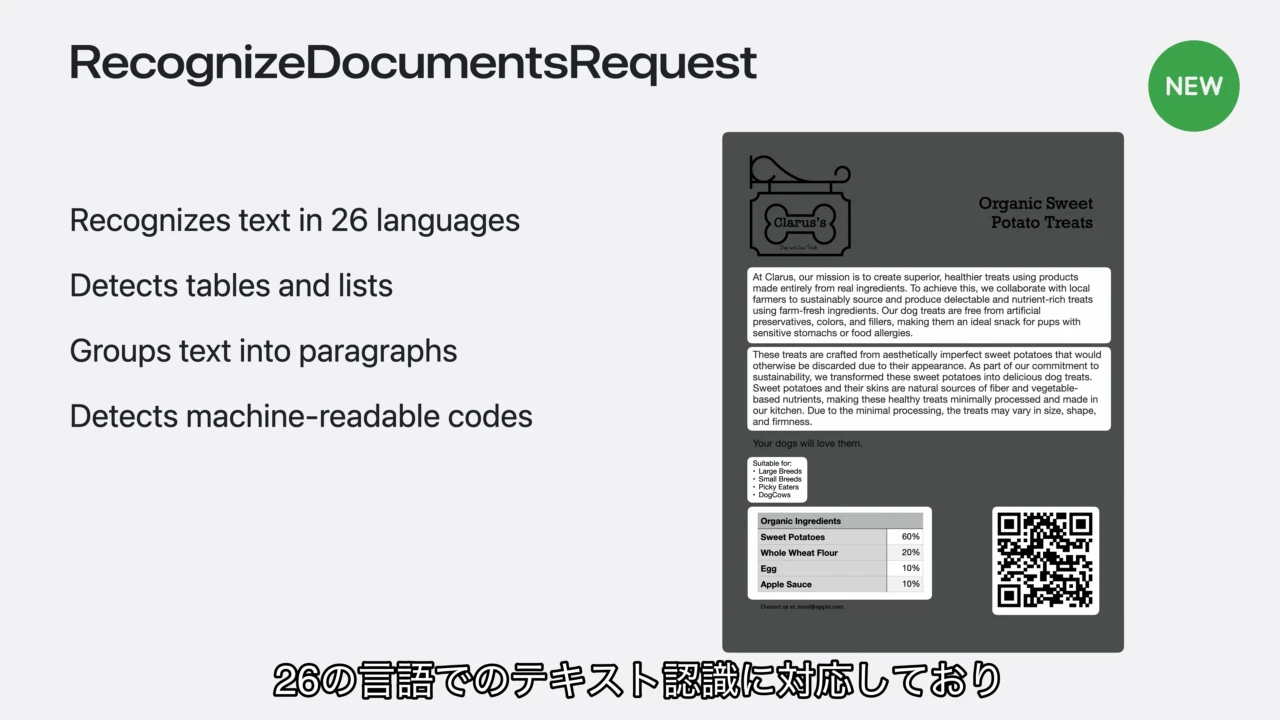
Visionフレームワークによるドキュメントの読み込みより
TRex v2.0では、このVisionフレームワークを利用し、macOS 26 Tahoe以降で表の抽出が可能になったほか、表をMwrkdownやCSV、プレーンテキストとして書き出す事が可能になっています。
また、昨年10月にリリースされた「TRex v1.9」ではGoogleのOCRエンジンTesseract OCRがサポートされ、AppleのVisionフレームワークでサポートされていない100以上の言語のOCRが可能になりましたが、「TRex v2.0」では、新たにOpenAIやAnthropic, Ollama*, Apple IntelligenceといったLLM機能が統合され、AIを利用したOCRが可能になっています。
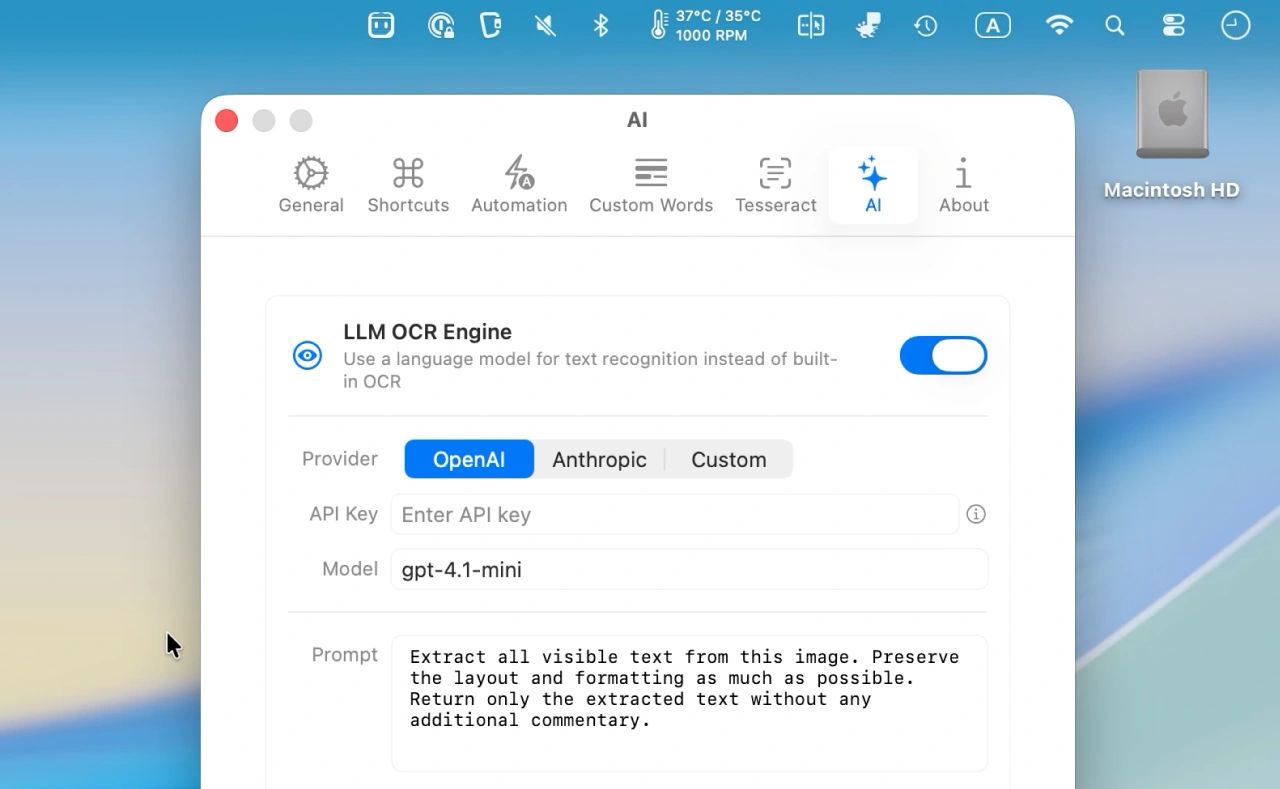
この他、TRex v2.0では1回の実行で複数の画面範囲を選択&テキスト化できるMulti-Region Capture、一部の画面領域を選択し変化があると自動的にキャプチャを行うWatch Mode、
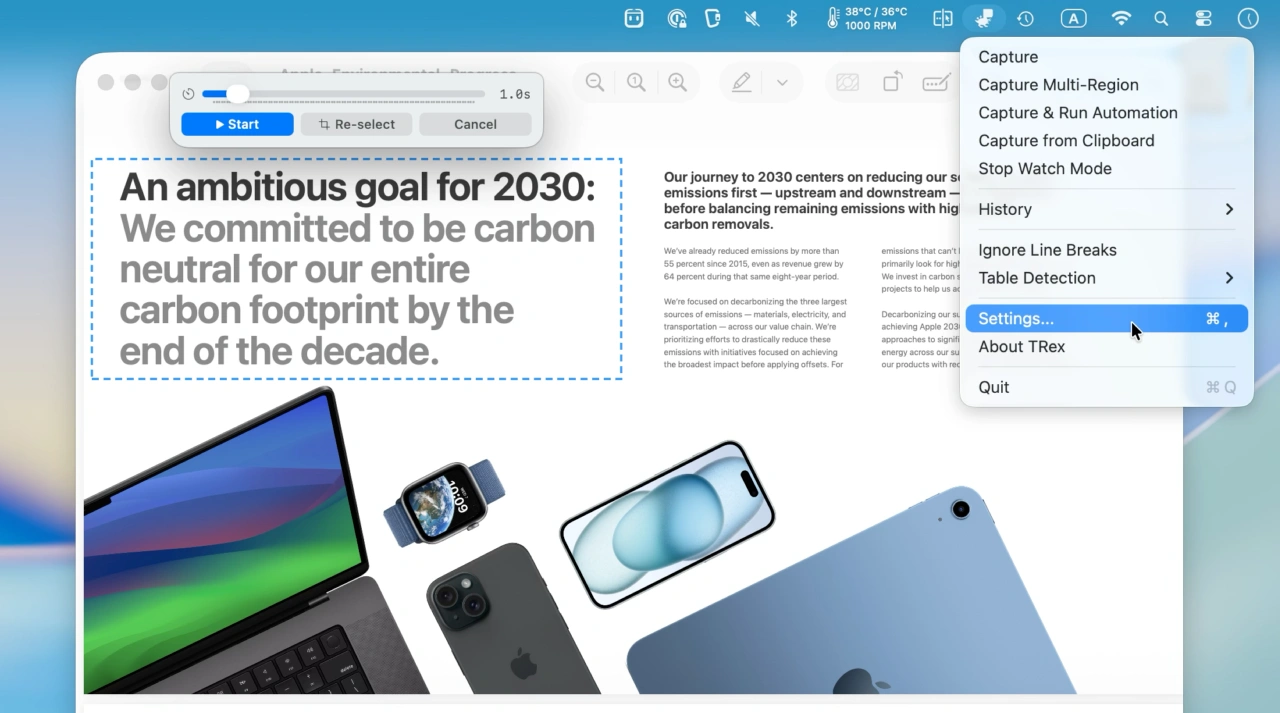
Watch Mode
キャプチャした領域をサムネイル付きで保存するCapture History機能が実装され、複数の不具合が修正されているので、AI対応のOCRアプリをお探しの方はチェックしてみてください。
brew install --cask trex
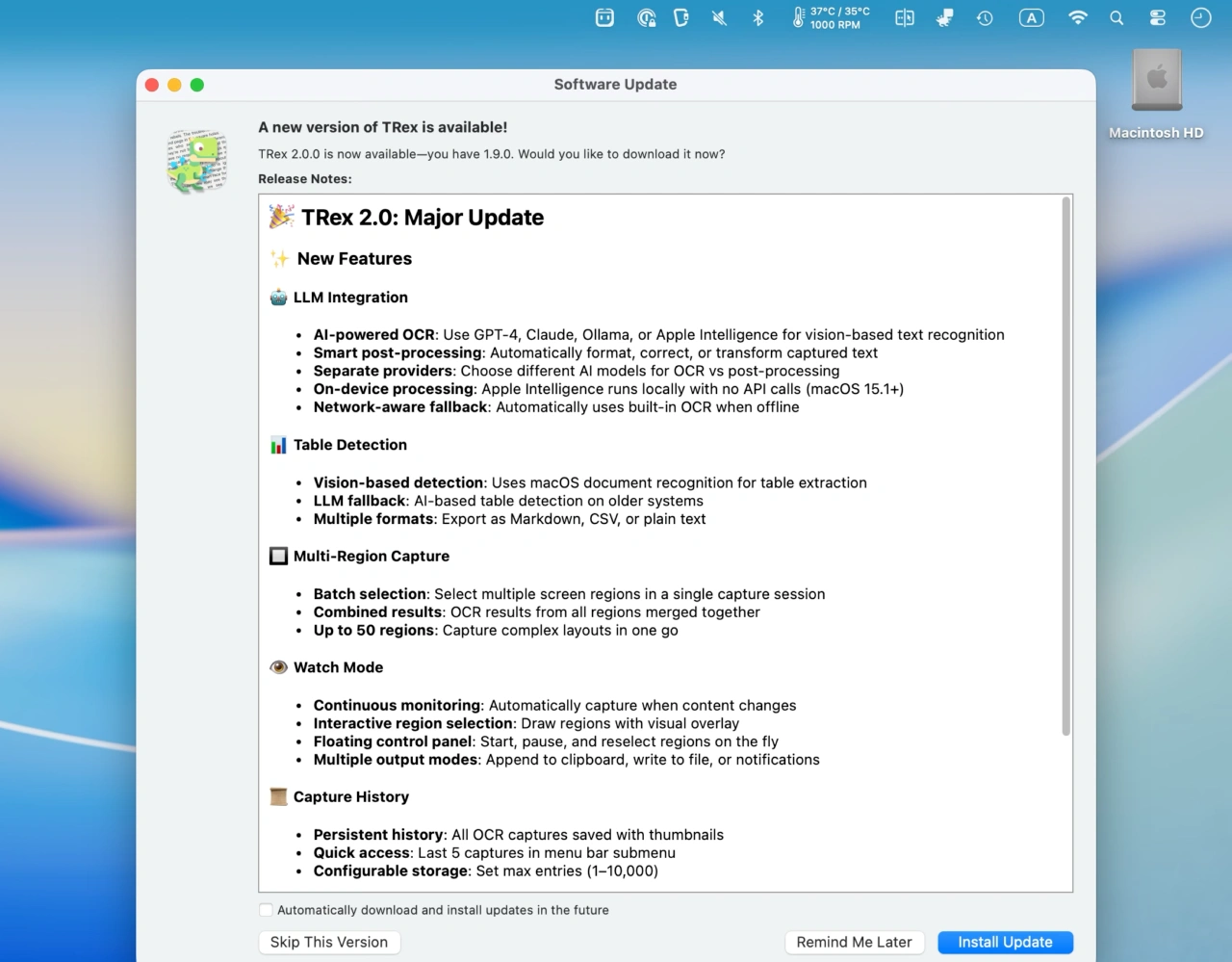
TRex v2.0.0リリースノート
✨ New Features
Table Detection
- Vision-based detection: Uses macOS 26+ document recognition for table extraction
- LLM fallback: Falls back to AI-based table detection on older systems
- Multiple formats: Export tables as Markdown, CSV, or plain text
- Menu bar toggle: Quick access to table detection settings
LLM Integration
- AI-powered OCR: Use OpenAI, Anthropic, Ollama, or Apple Intelligence for vision-based text recognition
- Smart post-processing: Automatically format, correct, or transform captured text with LLM
- Separate provider configuration: Choose different providers for OCR vs post-processing
- On-device processing: Apple Intelligence runs locally with no API calls (macOS 15.1+)
- Network-aware fallback: Automatically falls back to built-in OCR when offline
Multi-Region Capture
- Batch selection: Select multiple screen regions in a single capture session
- Combined results: OCR results from all regions are merged together
- Optional LLM processing: Post-process combined text with AI
- Up to 50 regions: Capture complex layouts in one go
Watch Mode
- Continuous monitoring: Monitor a screen region and automatically capture when content changes
- Interactive region selection: Draw regions with a visual overlay
- Floating control panel: Start, pause, and reselect regions on the fly
- Multiple output modes: Append to clipboard, write to file, or stream notifications
- Smart detection: SHA256-based change detection with configurable polling interval
- URL scheme support: Trigger watch mode via trex://watch
Capture History
- Persistent history: All OCR captures saved with thumbnails
- Quick access: Last 5 captures available in menu bar submenu
- History window: Browse all captures via trex://showHistory
- Configurable storage: Set max entries (1–10,000)
- One-click copy: Quickly copy any previous capture to clipboard

コメント