
ChatGPTデスクトップアプリのブラウザ機能拡張がMicrosoft EdgeやBrave, Opera, Vivaldiでも利用可能になり、アプリ内ブラウザではWebMCPもサポートされています。詳細は以下から。
米OpenAIは2026年07月、昨年リリースしたChatGPT組み込んだWebブラウザ「ChatGPT Atlas for macOS」の提供を08月09日で終了すると発表し、それに伴いChatGPTデスクトップアプリにアプリ内ブラウザを導入&Chrome機能拡張を公開しましたが、この機能拡張がChromium系ブラウザに対応しています。
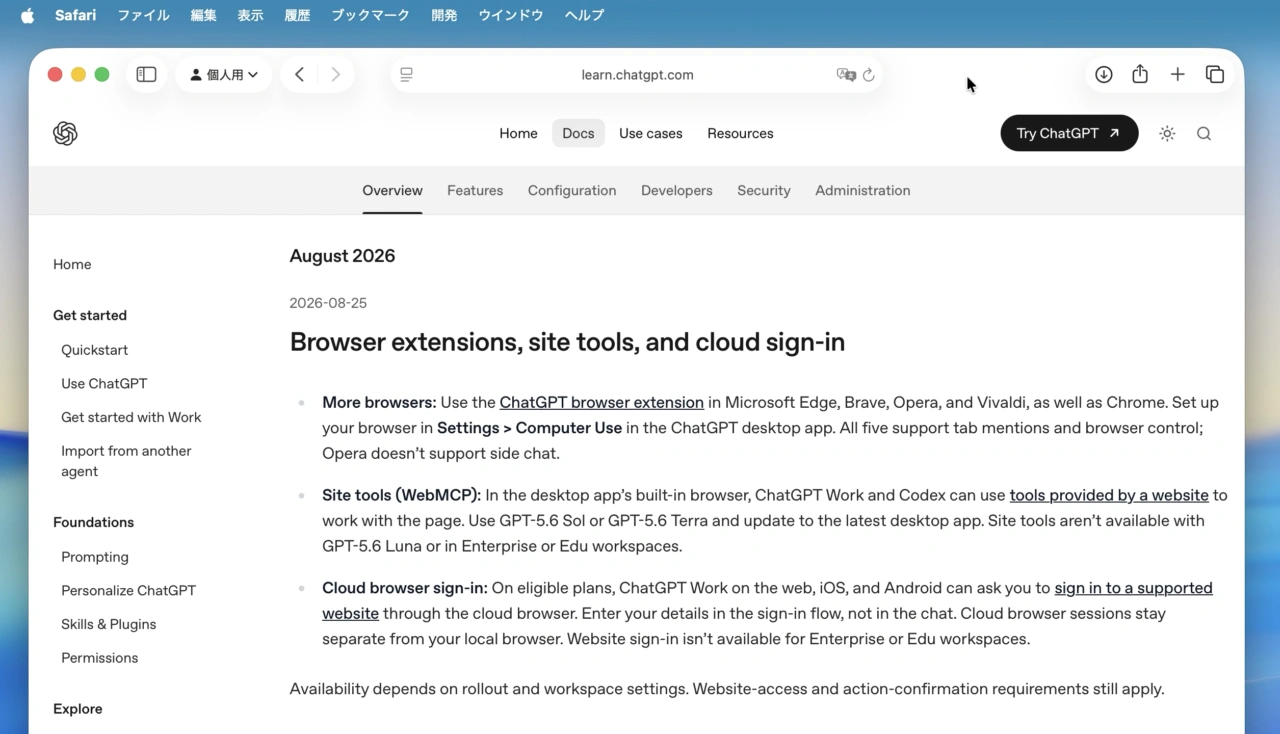
Use the ChatGPT browser extension in Microsoft Edge, Brave, Opera, and Vivaldi, as well as Chrome. Set up your browser in Settings > Computer Use in the ChatGPT desktop app. All five support tab mentions and browser control; Opera doesn’t support side chat.
ChatGPT & Codex changelog – ChatGPT Learn
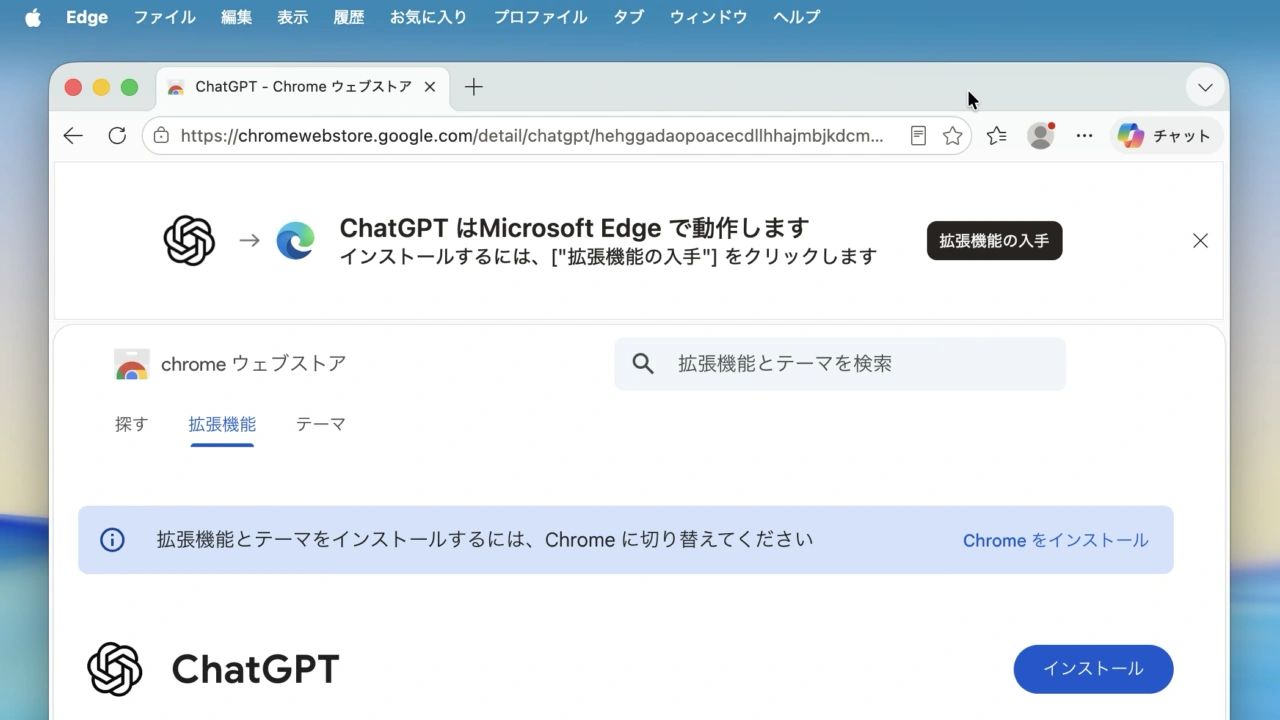
OpenAIのChatGPT機能拡張はChromeに加え、新たにMicrosoft EdgeやBrave, Opera, Vivaldiブラウザに対応し、サイドバーからChatGPTへアクセスできるようになったほか、
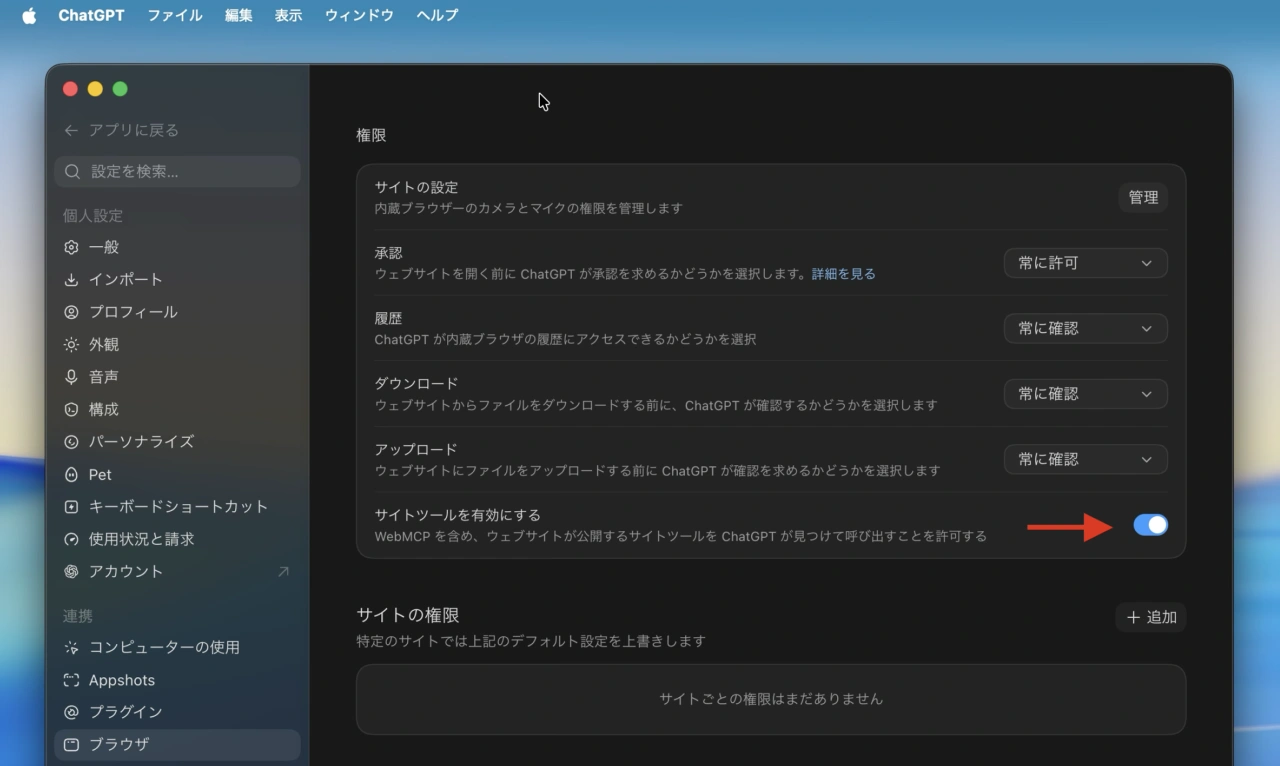
ChatGPTデスクトップアプリのアプリ内ブラウザでは、ChatGPT WorkとCodexがWebサイトから提供されるツールを利用してページを操作できるWebMCPに対応しているので、試したい方は最新のChatGPTデスクトップアプリへアップデートしてみて下さい。
リリースノート
Browse and find context faster
- More browsers: Use the ChatGPT browser extension in Microsoft Edge, Brave, Opera, and Vivaldi, as well as Chrome. Set up your browser in Settings > Computer Use in the ChatGPT desktop app. All five support tab mentions and browser control; Opera doesn’t support side chat.
- Site tools (WebMCP): In the desktop app’s built-in browser, ChatGPT Work and Codex can use tools provided by a website to work with the page. Use GPT-5.6 Sol or GPT-5.6 Terra and update to the latest desktop app. Site tools aren’t available with GPT-5.6 Luna or in Enterprise or Edu workspaces.
- Cloud browser sign-in: On eligible plans, ChatGPT Work on the web, iOS, and Android can ask you to sign in to a supported website through the cloud browser. Enter your details in the sign-in flow, not in the chat. Cloud browser sessions stay separate from your local browser. Website sign-in isn’t available for Enterprise or Edu workspaces.
- ChatGPT – Chromeウェブストア
- ChatGPT & Codex changelog – ChatGPT Learn

コメント