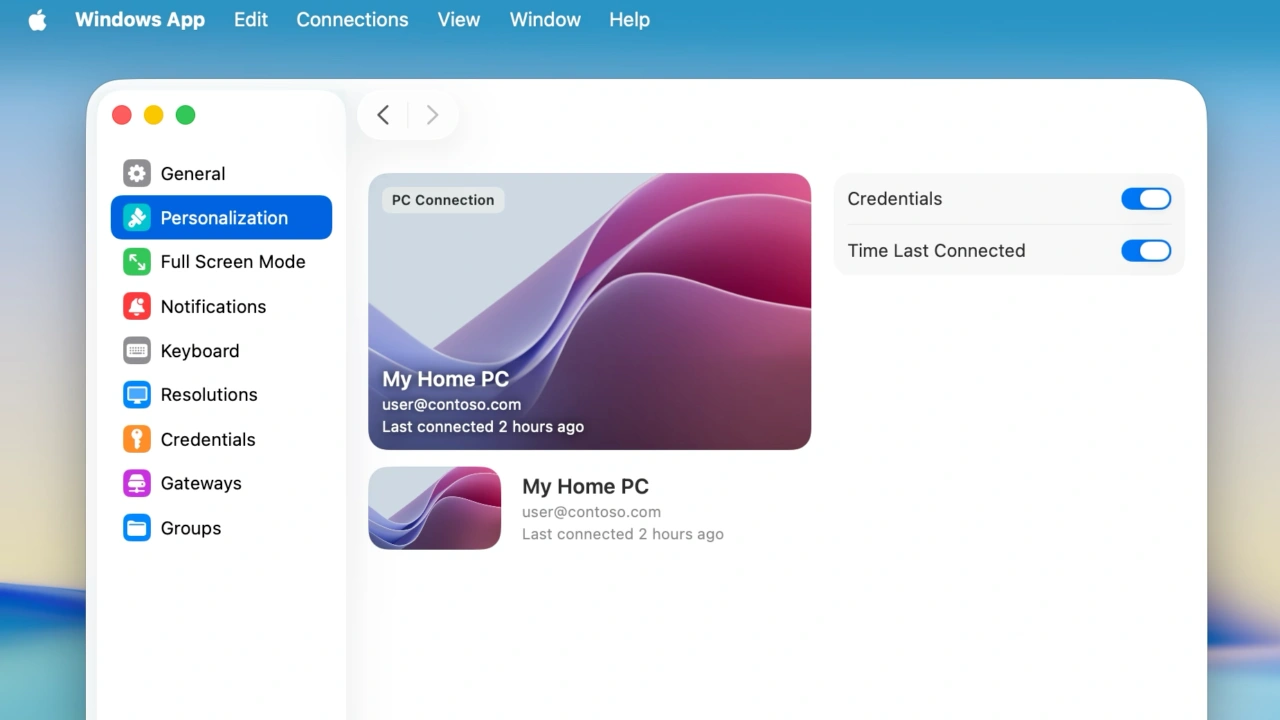

Microsoftのリモートデスクトップアプリ「Windows App for Mac」に、接続デバイスの表示をカスタマイズできるパーソナライズセクションが追加され、Quick Launcherは切り離しやサイズ変更が可能なっています。詳細は以下から。

Microsoftは現地時間2026年07月01日、同社のリモートデスクトップ「Windows App (旧Microsoft Remote Desktop)」のMac版をバージョン11.3.7へアップデートし、新たにPersonalizationセクションを追加したと発表しています。
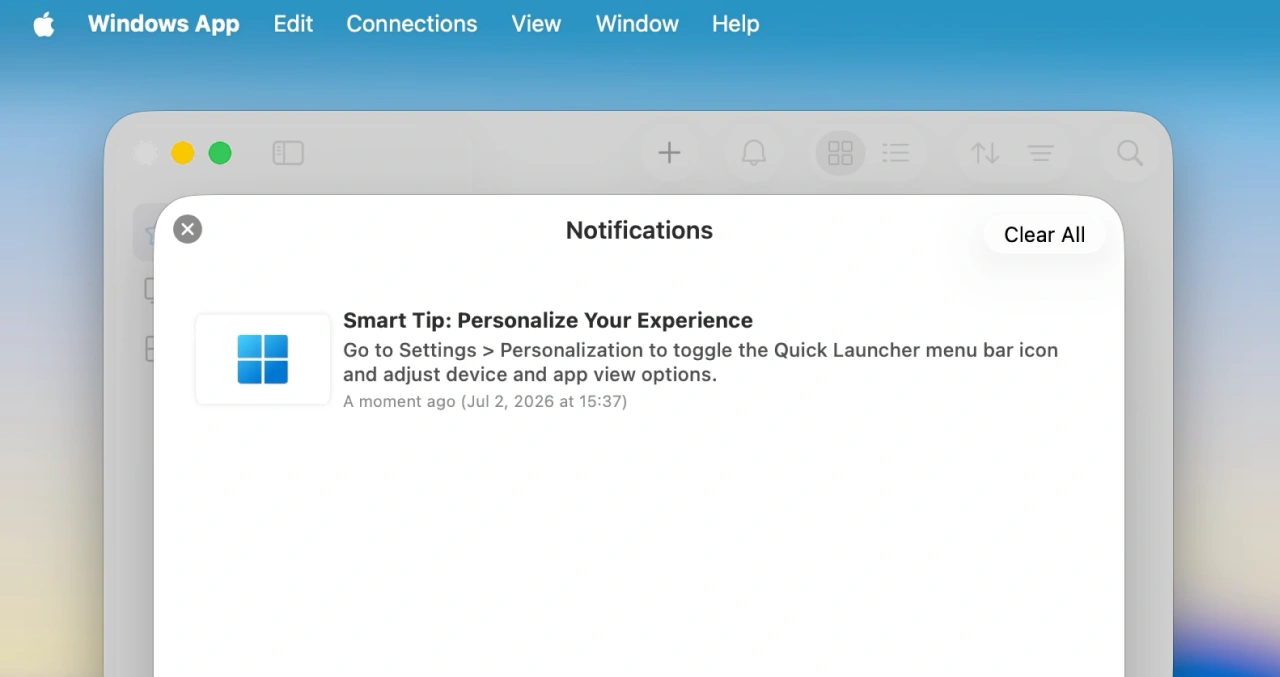
Smart Tip: Personalize Your Experience
Go to Settings > Personalization to toggle the Quick Launcher menu bar icon and adjust device and app view options.Windows Appから
新たに追加されたPersonalizationでは、接続デバイスの情報を表示するデバイスカードに認証情報や最後に接続した時刻、サムネイルを表示するかの設定やメニューバーに素早くリモートPCへ接続できるQuick Launcherを表示/非表示するかを設定できるようになっています。
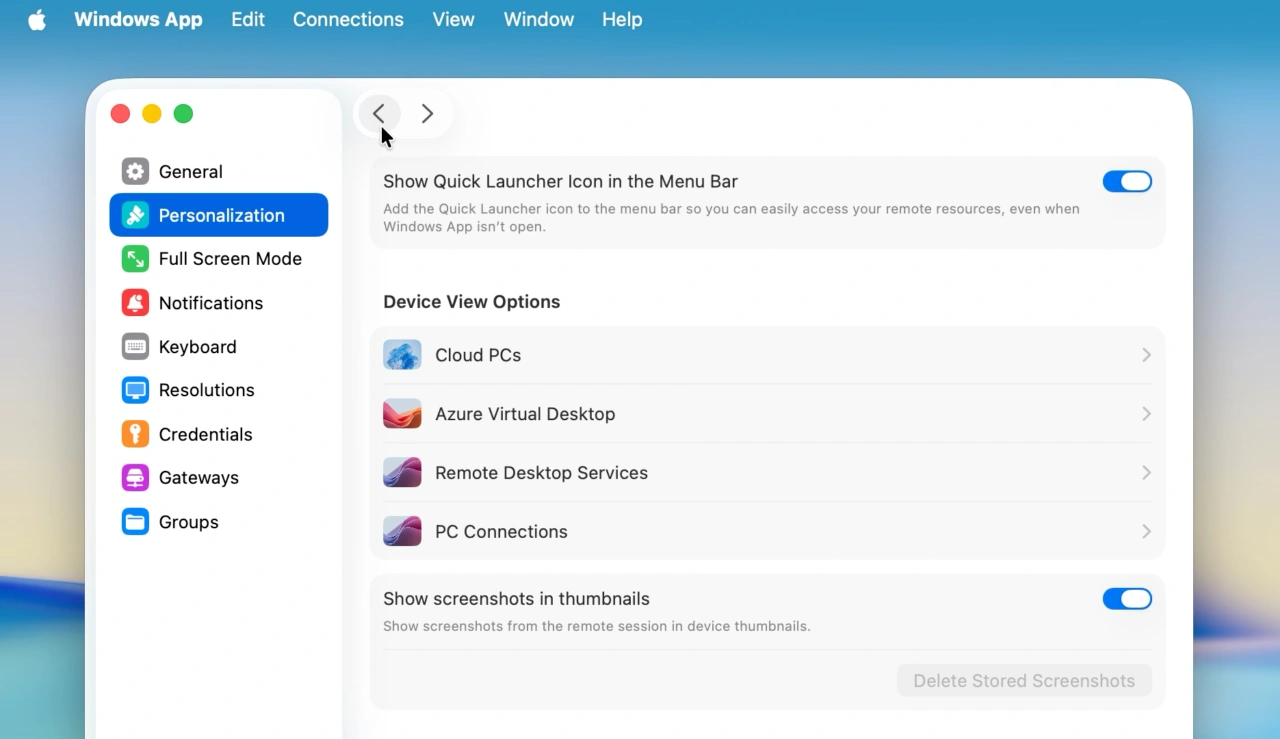
Personalizationセクション
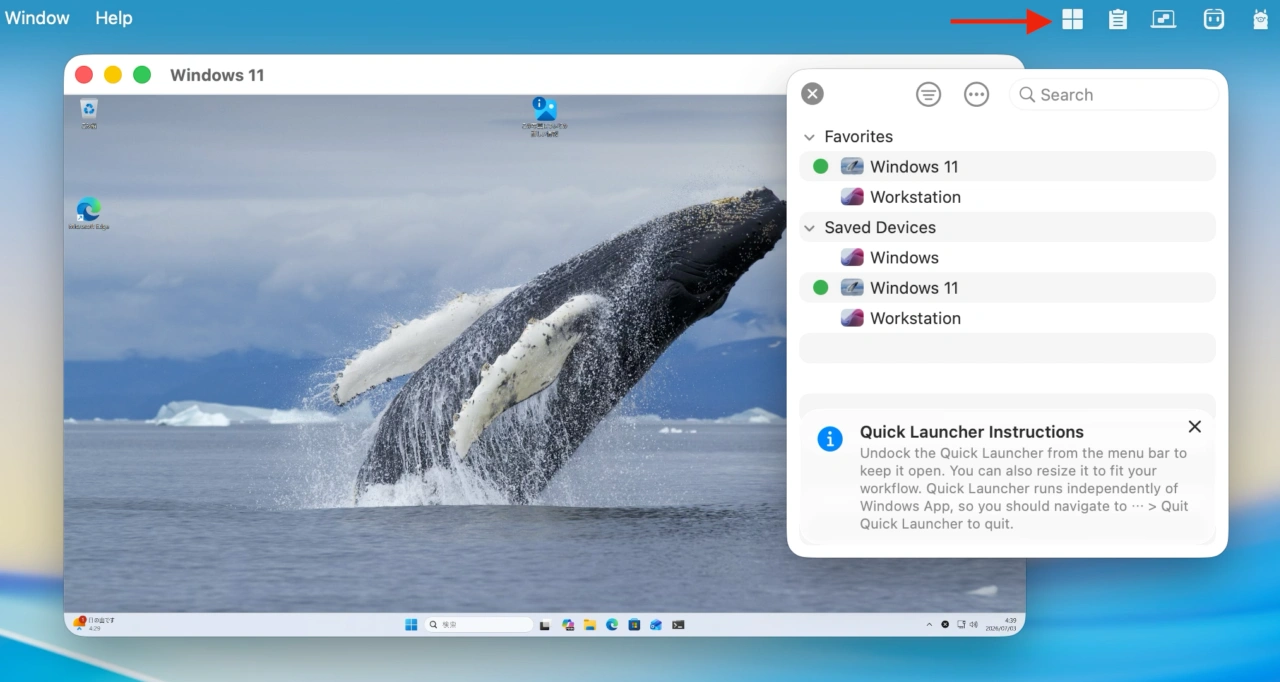
また、メニューバーアイコンから表示できるQuick Launcherはサイズの変更に加え、メニューバーから切り離しが可能になり、Connection Centerから独立して利用できるようになり、
Connection Centerのサイドバーに実装されていたデバイスの検索ボックスはツールバーに移動し常にデバイスを検索できるようになった他、初回起動時のセットアップでの権限リクエストダイアログ、デバイスカードのサムネイルなどで発生していた不具合が修正されているので、MacからWindowd PCはAzure Virtual Desktopを利用する方は試してみて下さい。
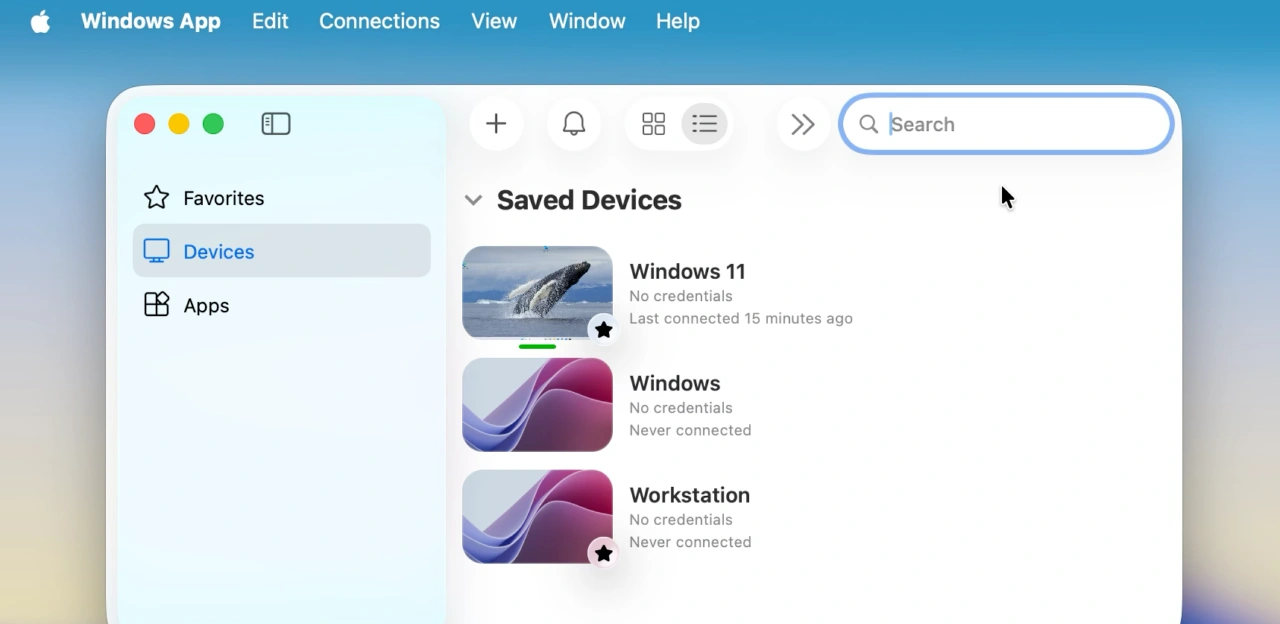
Connection Center
Windows App v11.3.7
In this release we made the following updates:
- Added a new Personalization section (under Settings) to customize how the app looks and feels.
- Updated the Quick Launcher to make it detachable, resizable and independent from the Connection Center lifetime.
- Moved the Search control from the sidebar to the toolbar, and reordered the toolbar items.
- Updated the First Run Experience and permission request dialogs.
- Resolved an issue where tab navigation on the sidebar wasn’t working after the app was launched.
- Corrected default device card thumbnail aspect ratios that could become distorted after resizing the Connection Center.
- Fixed a bug that caused the Settings dialog to not open in the current active space.
- Adjusted the default size of the Connection Center for macOS 26+.
- Optimized device card thumbnail rendering performance in the Connection Center.
- Improved app responsiveness by coalescing workspace update-triggered UI refreshes.
- Made updates to improve Continuous Access Evaluation (CAE) scenarios for AVD and Windows 365.
- Resolved app crashes and hangs.
- Windows App Mobile – Mac App Store

コメント