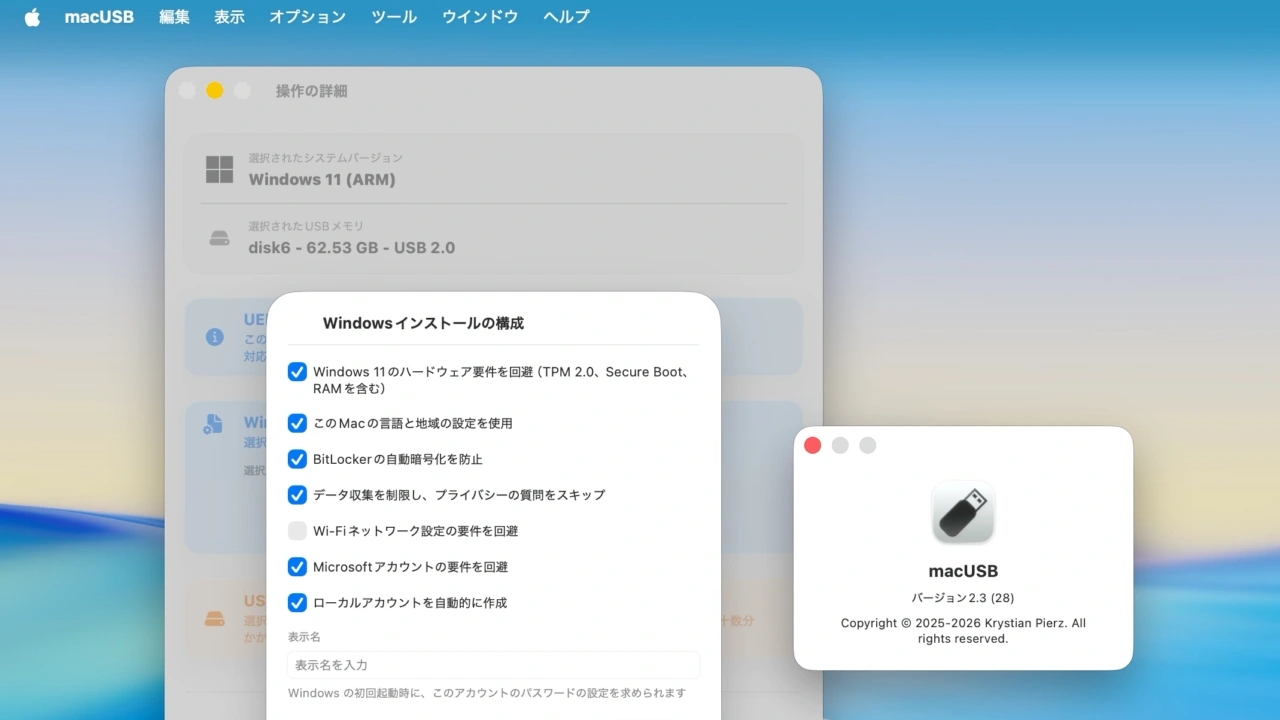

Apple Silicon MacでIntel MacやWindows用のUSBインストーラを作成できる「macUSB」が、WindowsインストーラのTPM 2.0やMicrosoftアカウンのサインインを回避するオプションを追加しています。詳細は以下から。
macUSBはポーランドのKruszoneqさんが開発したOS X/macOS用インストーラ作成ツールで、次期macOS 27でサポートが終了するIntel Mac用の起動可能なUSBインストーラを最新のApple Silicon Macで作成できる他、macUSB v2.2ではWindowsとLinuxのインストーラ作成にも対応しましたが、このmacUSBがバージョン2.3アップデートでWindows 10/11インストーラの自動構成オプションに対応しています。
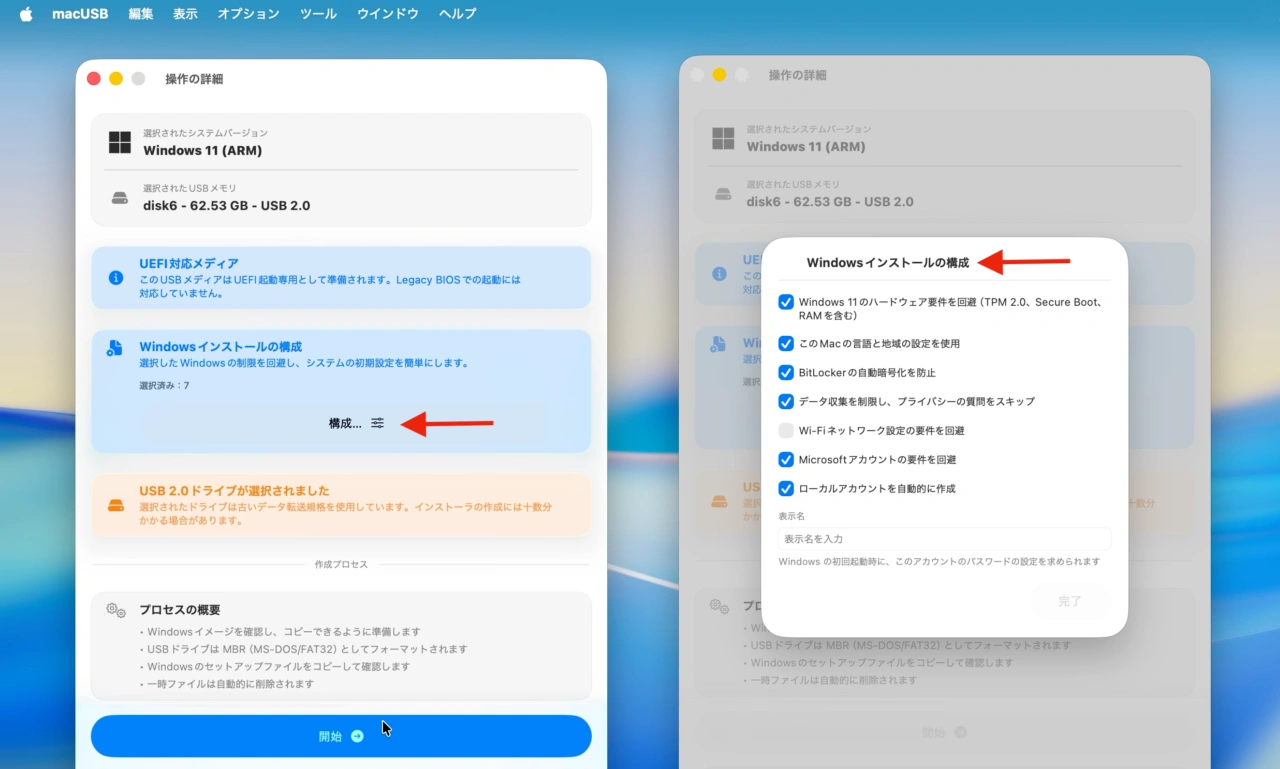
macUSB v2.3 expands the Windows 10 and Windows 11 installer creation process with new autounattend-based configuration options, allowing prepared USB media to automate selected setup steps and bypass specific installation requirements.
リリースノートより抜粋
macUSB v2.3ではWindows用インストーラ作成アプリの「Rufus」を参考にインストーラ作成時に”autounattend.xml”を利用してインストールを自動化できるようになっており、
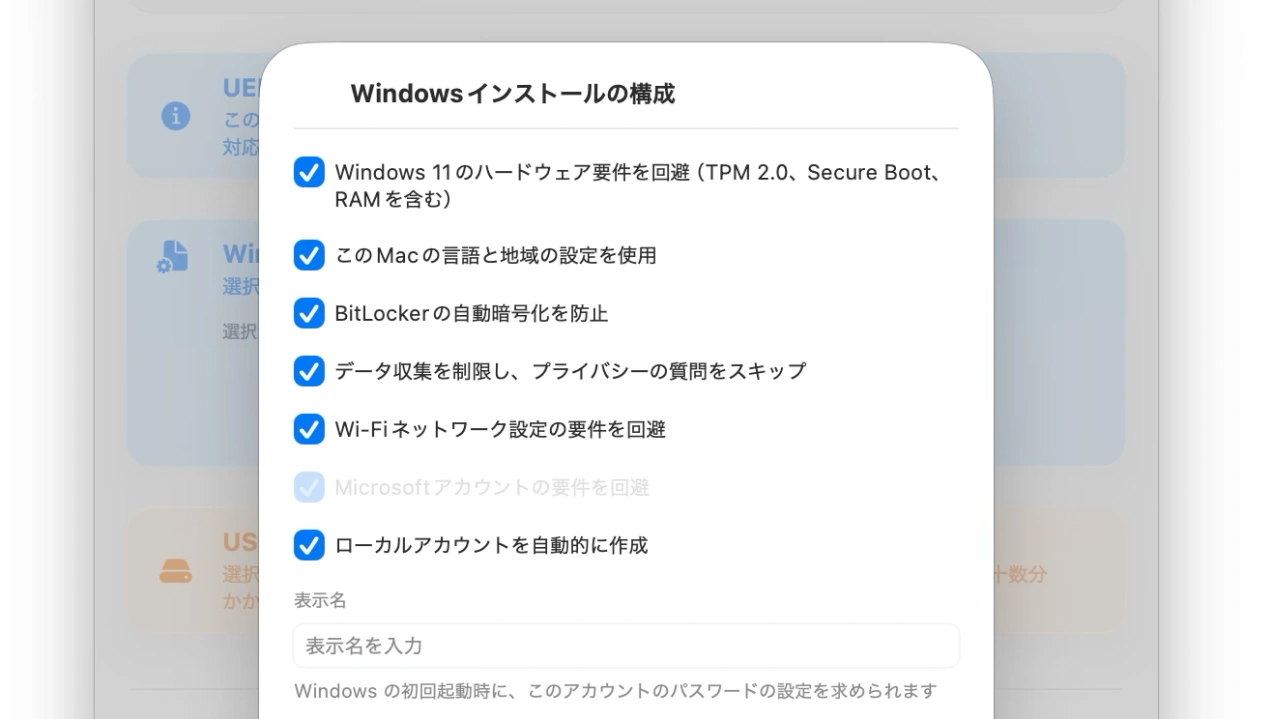
macUSB v2.3のWindows 11インストーラ作成オプション
その中にはWindows 11のTMP 2.0やSecure Boot、4GB RAMのチェック、Microsoftアカウントのサインイン回避、BitLockerの自動暗号化無効など以下のオプションが含まれています。
Windowsインストーラ作成機能に追加
- Windows 11のTPM 2.0、Secure Boot、最低4GB RAMチェックを含むハードウェア要件の回避。
- ホストmacOSの言語と地域設定をWindowsへ自動的に反映。
- 必須となっているMicrosoftアカウントのサインイン要求を回避。
- 初回セットアップ時のWi-Fi接続を回避。
- 対象ボリューム上のBitLockerパーティションのの自動暗号化を無効化。
- 定義済みのローカルユーザーアカウントを自動的にプロビジョニング。
- 診断テレメトリとプライバシー追跡に関するプロンプトを自動的に拒否。
また、macUSB v2.3では認識したディスクイメージのSHA-246チェックサムの計算機能やLinuxのRAWイメージ書き込みもサポートしているので、WindowsやLinux PCも管理しているMacユーザーの方はチェックしてみて下さい。
macUSB v2.3のリリースノート
macUSB v2.3 expands the Windows 10 and Windows 11 installer creation process with new autounattend-based configuration options, allowing prepared USB media to automate selected setup steps and bypass specific installation requirements. This release also adds SHA-256 checksum calculation for recognized disk images.
ADDED: WINDOWS
Added automated Windows 10 and Windows 11 installer configuration options (#72) to:
- Bypass hardware requirement checks, including TPM 2.0, Secure Boot, and a minimum of 4 GB RAM (Windows 11 only).
- Automatically synchronize language and region settings with the host macOS system.
- Bypass the mandatory Microsoft Account sign-in requirement.
- Bypass the Wi-Fi network connection requirement during initial setup.
- Disable automatic BitLocker partition encryption on the target volume.
- Provision a predefined local user account automatically.
- Automatically decline diagnostic telemetry and privacy-tracking prompts.
- Kruszoneq/macUSB – GitHub
コメント